Are AI Headshots Actually Safe for LinkedIn and Professional Use in 2026?
Are AI headshots safe for LinkedIn in 2026? Here’s when AI-generated headshots work, where they fail, and how to use them professionally.


Short answer: yes, but only if you’re careful about the tool you use and how realistic the result looks.
AI headshots have crossed a tipping point in 2026. They’re no longer novelty avatars or obviously “AI-looking” portraits. Many professionals now use AI-generated headshots on LinkedIn, resumes, company websites, pitch decks, and press pages—without raising eyebrows.
That said, not all AI headshots are safe for professional use. Some can damage credibility instead of enhancing it.
Let’s break down what’s changed, where the risks still are, and how to use AI headshots the right way in 2026.
What LinkedIn (and recruiters) actually care about
LinkedIn doesn’t ban AI-generated photos. What it implicitly rewards is trust.
When someone looks at your profile photo, they subconsciously evaluate:
- Does this look like a real person?
- Is this photo professional?
- Does this face feel consistent with the rest of the profile?
- Does this photo match the tone of the role?
If your headshot looks believable and professional, no one asks how it was made.
In my own testing, this difference was obvious. For example:
- Headshots generated with BetterPic and Aragon AI passed as realistic business portraits because lighting, facial structure, and skin texture looked natural.
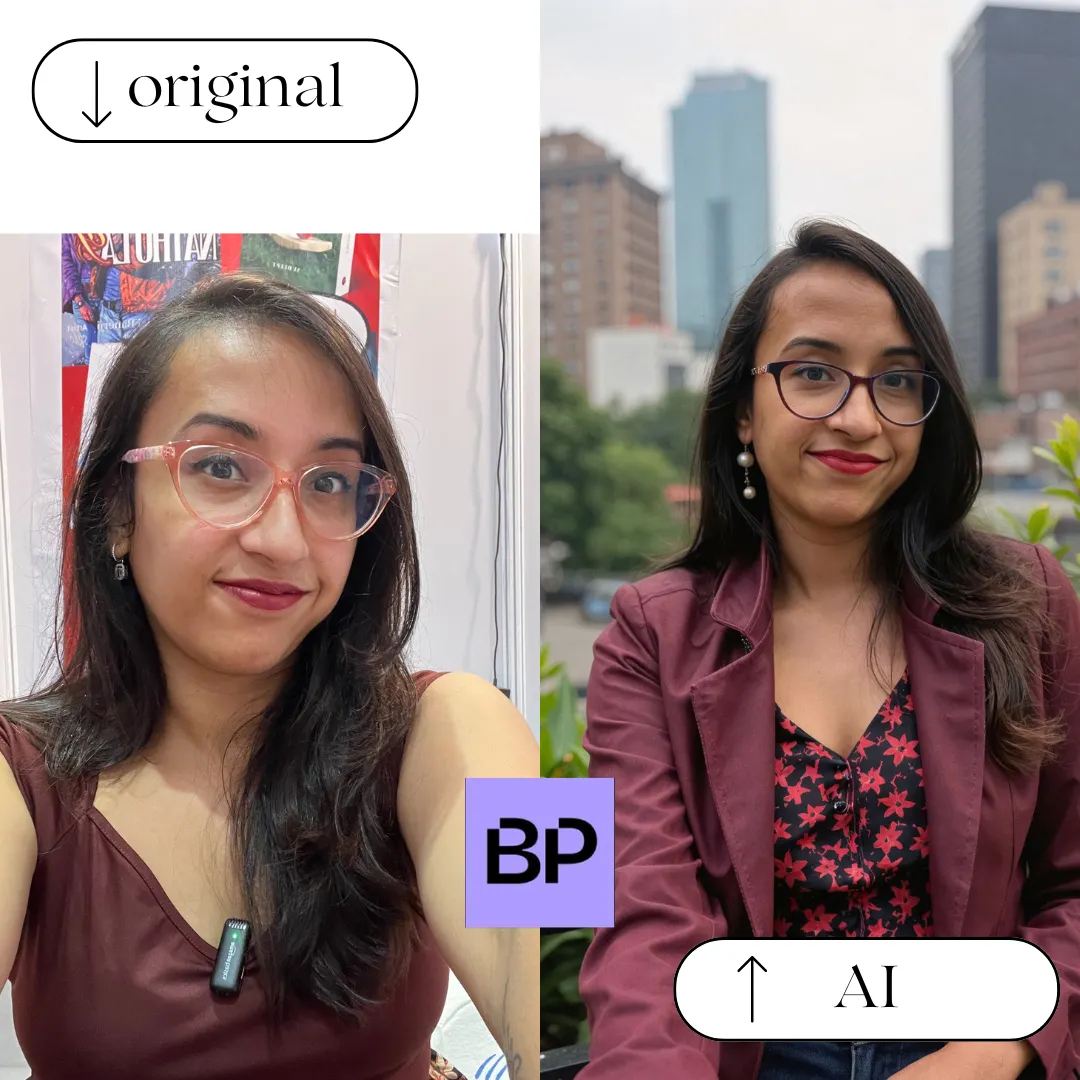
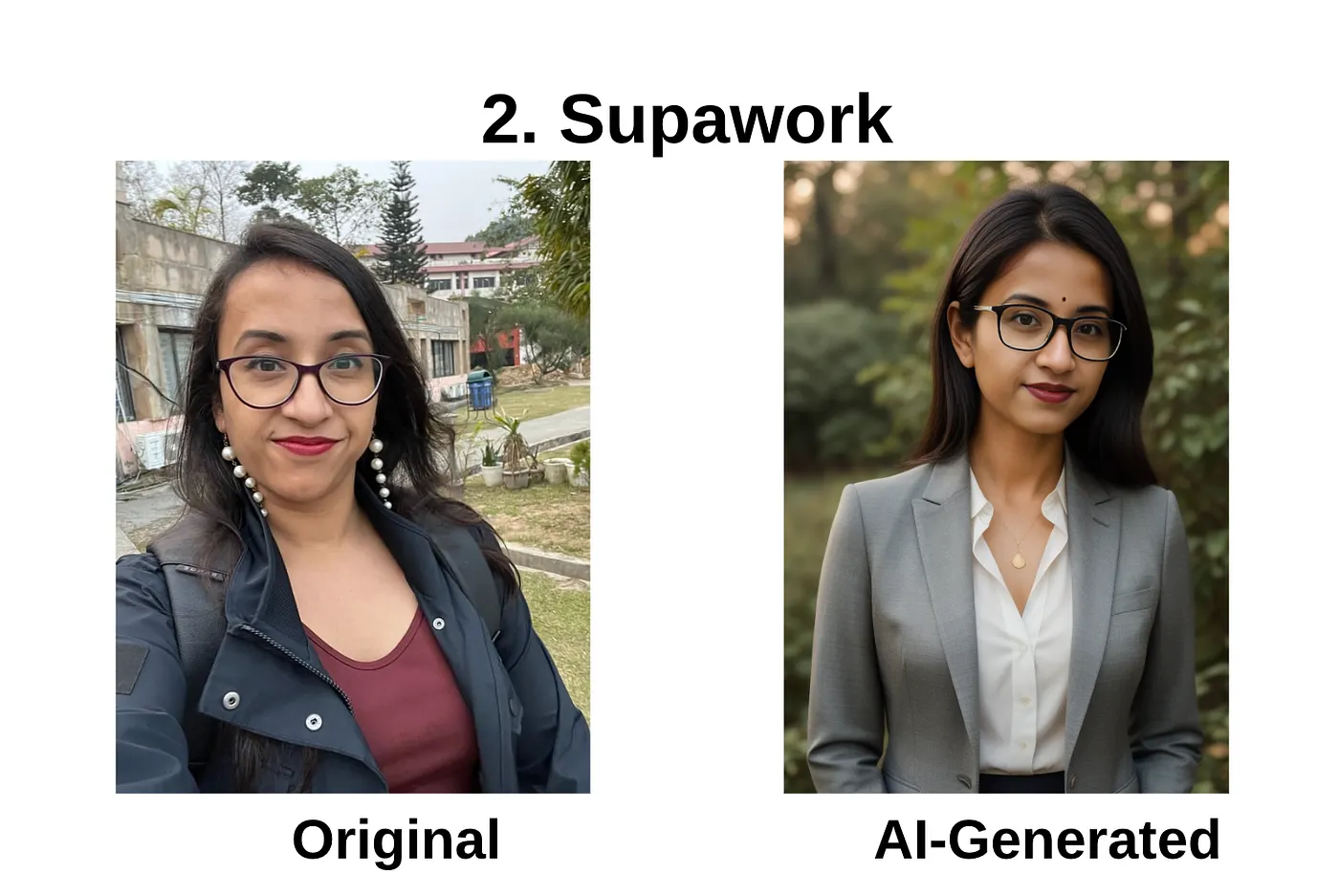
- In contrast, tools like Supawork AI and some free generators produced images that didn’t resemble my real face at all: different eyes, missing glasses, altered facial proportions. Those would immediately raise doubts on LinkedIn.
When AI headshots are safe for professional use
AI headshots are generally safe if they meet all three conditions below.
1. The face actually looks like you
The biggest risk is identity drift.
In my testing:
- BetterPic sometimes removed my glasses entirely because I uploaded a few glasses-free selfies. The fix? Their human edit feature, which corrected the issue and made the image usable.
- Aragon AI handled facial structure well but worked best when I uploaded a consistent set of selfies.
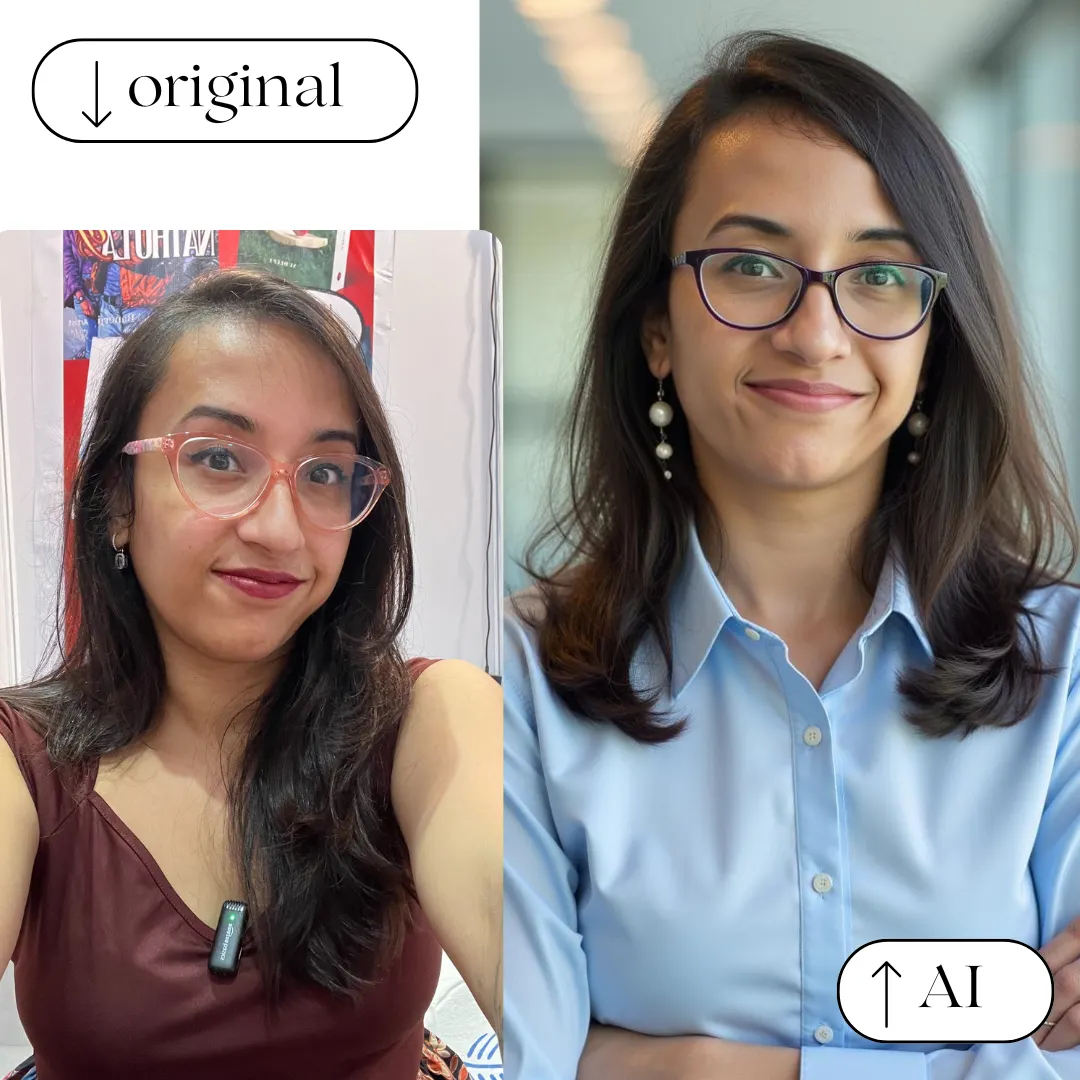
If someone who knows you would hesitate and say, “That doesn’t really look like you,” don’t use it.
2. The style matches professional norms
Ultra-glam or cinematic images may look impressive, but they’re risky for LinkedIn.
For example:
- Proshoot.co produced stunning beach-style photos that looked incredible, but I’d only use those selectively, not as my primary LinkedIn photo.

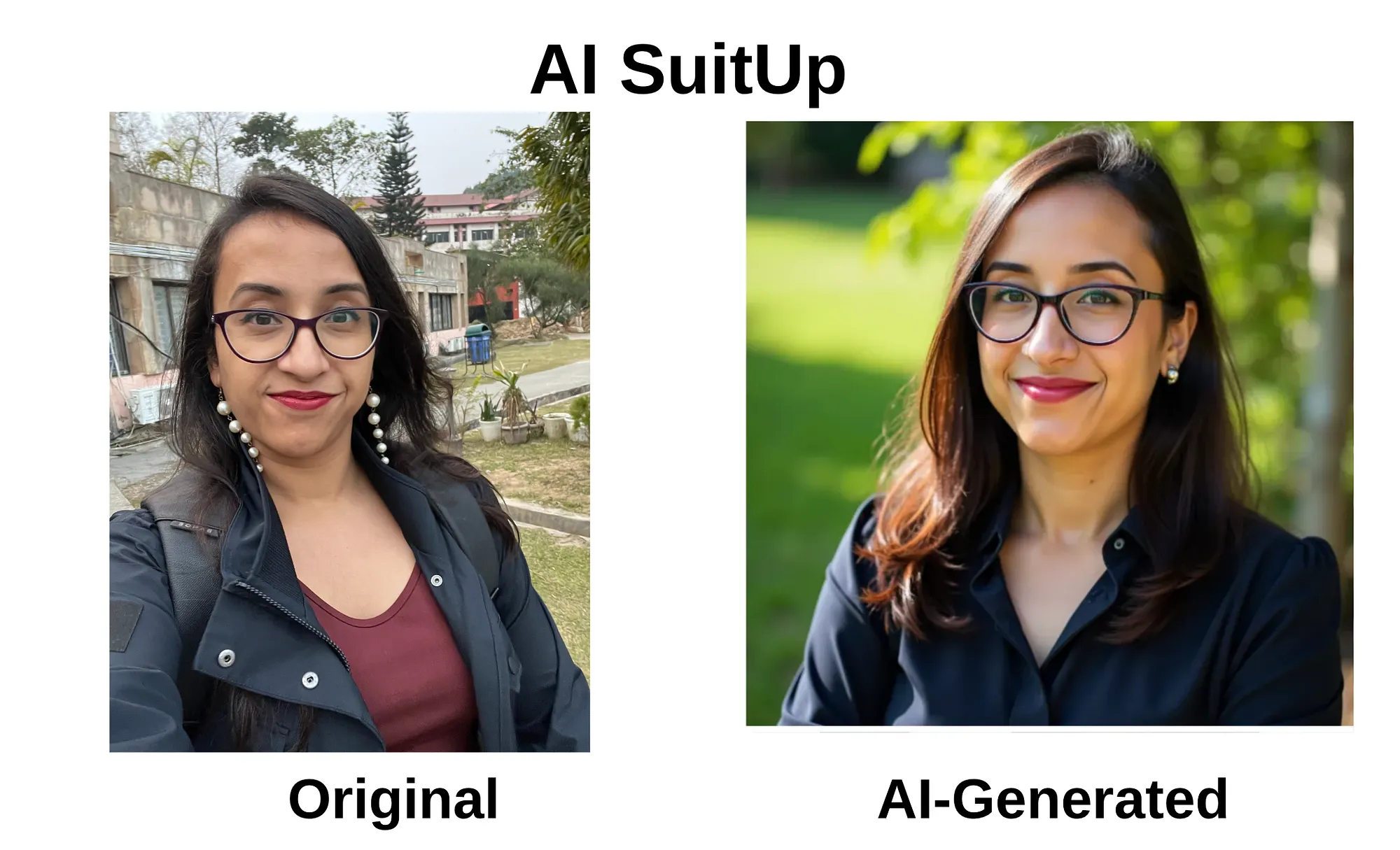
- More neutral outputs from tools like AI SuitUp and Profile Bakery worked better for resumes and professional profiles.
3. The photo could plausibly come from a real shoot
A simple test:
If I saw this on someone else’s LinkedIn, would I question it?
When the answer was “no,” those images consistently performed better across platforms.
Where AI headshots go wrong in 2026
Despite better models, many AI headshots fail in predictable ways:
- Over-smoothed skin: Common in free AI headshot tools like AIEase or Supawork, where the face looks rendered instead of photographed.
- Generic stock-photo look: Some generators create faces that look polished but impersonal: technically good, but emotionally empty.
- Inconsistent identity across platforms: Using different AI tools for different images often results in mismatched faces.
These issues scream “AI” and reduce trust.
Paid vs free AI headshots: the real difference
Free AI headshot generators are fine for experimentation. I tested several, including AIEase, Supawork, and Remaker AI, and while some outputs were interesting, none were LinkedIn-ready.
Paid tools stood out because they offered:
- Better likeness preservation
- Editing or redo options
- Human intervention when needed
That difference is why paid tools dominate professional use in 2026.
Privacy and data safety: what to check before uploading selfies
Before using any AI headshot tool, check:
- Data deletion policy: Does the platform remove your selfies after generation?
- Commercial usage rights: Can you use the image on LinkedIn, websites, and marketing material?
- Reputation: Is this a known brand or a throwaway site?
This matters even more if you’re a founder, employee, or public-facing professional.
The safest way to use AI headshots in 2026
The most reliable workflow looks like this:
- Generate realistic AI headshots
- Select 1–2 images that closely resemble your real face
- Fix small issues using AI edits or human edits
- Use those images consistently across platforms
This is why hybrid workflows, like Fiverr-based services or tools with human edits, still outperform fully automated generators for high-stakes use.
If you want to see which tools actually passed this realism test, I’ve ranked the best AI headshot generators I tested based on face likeness, editing control, speed, and professional usability.
Final verdict
AI headshots are safe for LinkedIn and professional use in 2026, but only when they’re:
- Realistic
- Identity-accurate
- Stylistically appropriate
- Used intentionally
If your headshot doesn't undermine credibility, no one will care if it's AI-generated or clicked in a studio.
Affiliate disclosure: Some links in this post may be affiliate links. If you choose to sign up or purchase through them, I may earn a small commission at no extra cost to you. I only recommend tools I’ve personally tested or genuinely find useful.