Best AI Headshot Generators for Creators, Founders, and Freelancers
The best AI headshot generators for creators, founders, and freelancers in 2026: tested for realism, likeness, speed, and branding use.


If you’re a creator, founder, or freelancer, your face is part of your brand.
You don’t just need a “nice” photo. You need a headshot that:
- Looks real
- Matches your online voice
- Works across LinkedIn, websites, proposals, and social media
- Doesn’t slow you down every time you want to publish something
That’s why AI headshot generators have exploded in popularity, but also why many of them miss the mark for independent professionals.
After testing 30+ AI headshot tools, here’s what actually works specifically for creators, founders, and freelancers in 2026.
What creators, founders, and freelancers actually need from AI headshots
Unlike corporate teams, independent professionals have different priorities:
- High face likeness (people recognize you across platforms)
- Fast turnaround (ideas move faster than photoshoots)
- Editing control (one “almost right” photo isn’t enough)
- Multiple vibes (formal, casual, social, website-ready)
- Commercial usage rights (you’re selling, pitching, and promoting)
Many AI headshot tools optimize for volume, but creators need usability.
The best AI headshot generators for independent professionals
Best overall for creator branding: BetterPic
If your headshot needs to feel human, BetterPic stands out.
In my testing, BetterPic consistently delivered:
- Natural lighting
- Realistic skin texture (no plastic smoothing)
- Backgrounds that felt like real environments, not templates
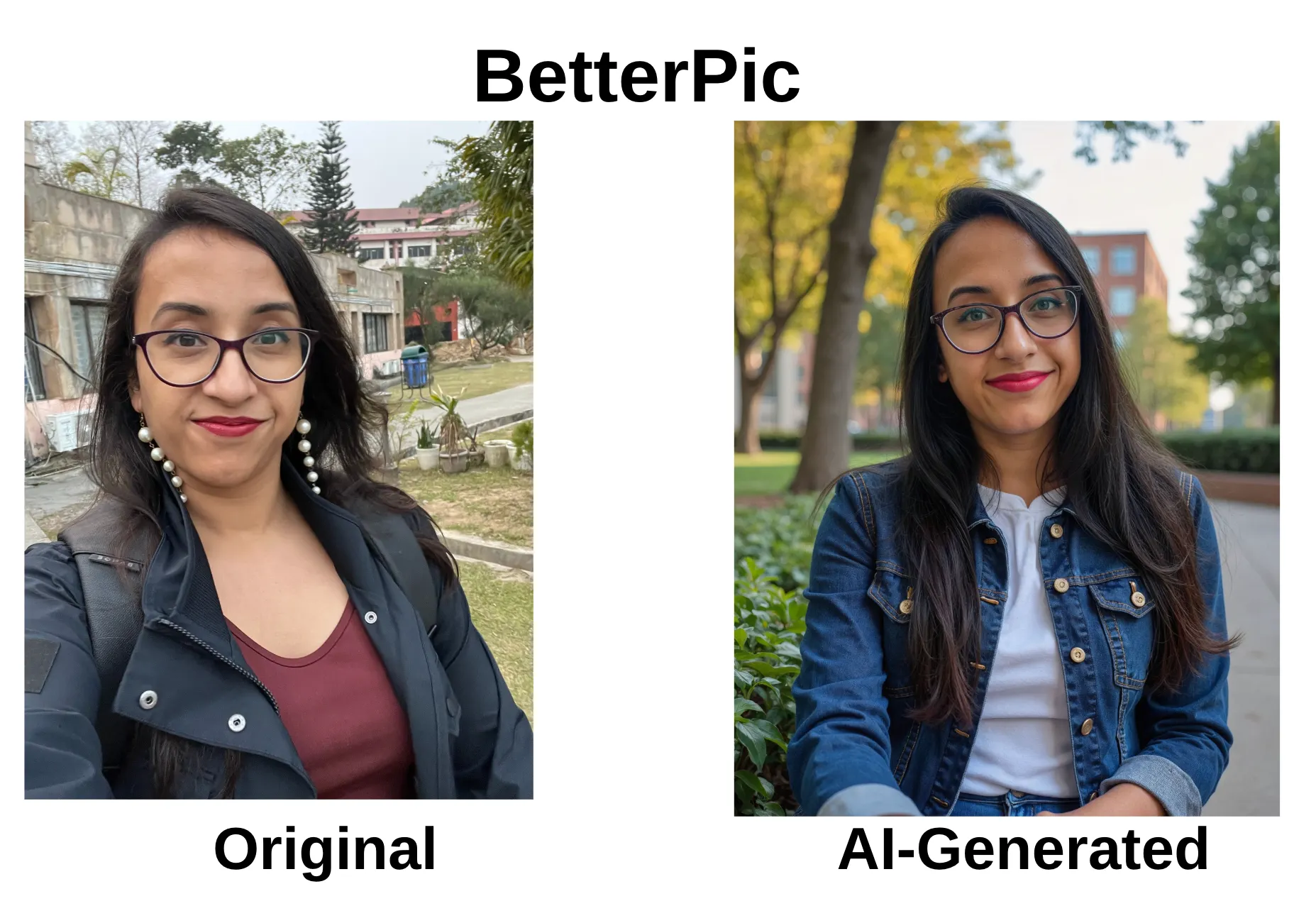
One issue I ran into was glasses consistency: some headshots were generated without them because I uploaded a few glasses-free selfies. What made the difference was BetterPic's human edit feature, which fixed the likeness issue without restarting the entire shoot.
For creators and freelancers who care about authenticity and brand trust, that human-in-the-loop step matters.
Best for founders and client-facing professionals: Headshot Pro
Headshot Pro is built for business use, and it shows.
What stood out during testing:
- Extremely professional expressions and posture
- Speaker-style headshots that work well on LinkedIn and pitch decks
- Strong face structure consistency across images
Headshot Pro isn’t flashy, but that’s exactly why it works for founders. The headshots look like they came from a real corporate photoshoot, not an AI experiment.
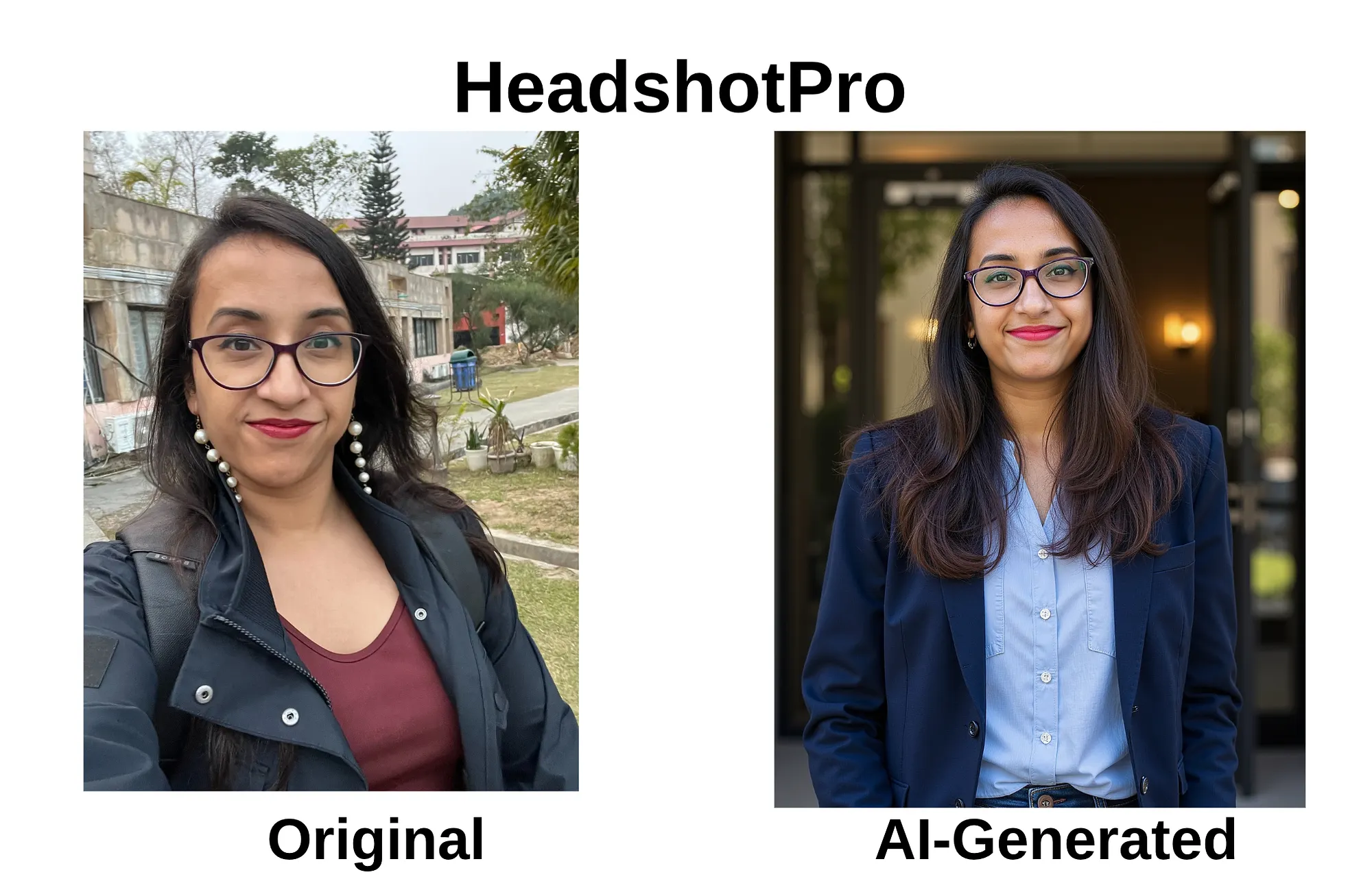
If you regularly pitch clients, investors, or partners, this is one of the safest AI headshot options available.
Best budget option with strong realism: AI SuitUp
AI SuitUp surprised me.
Despite being one of the more affordable tools I tested, the results were impressively realistic, especially considering it uses newer image models and delivers HD headshots quickly.
In my testing:
- Facial features stayed consistent
- Skin didn’t look over-processed
- Outputs worked well for LinkedIn and personal websites
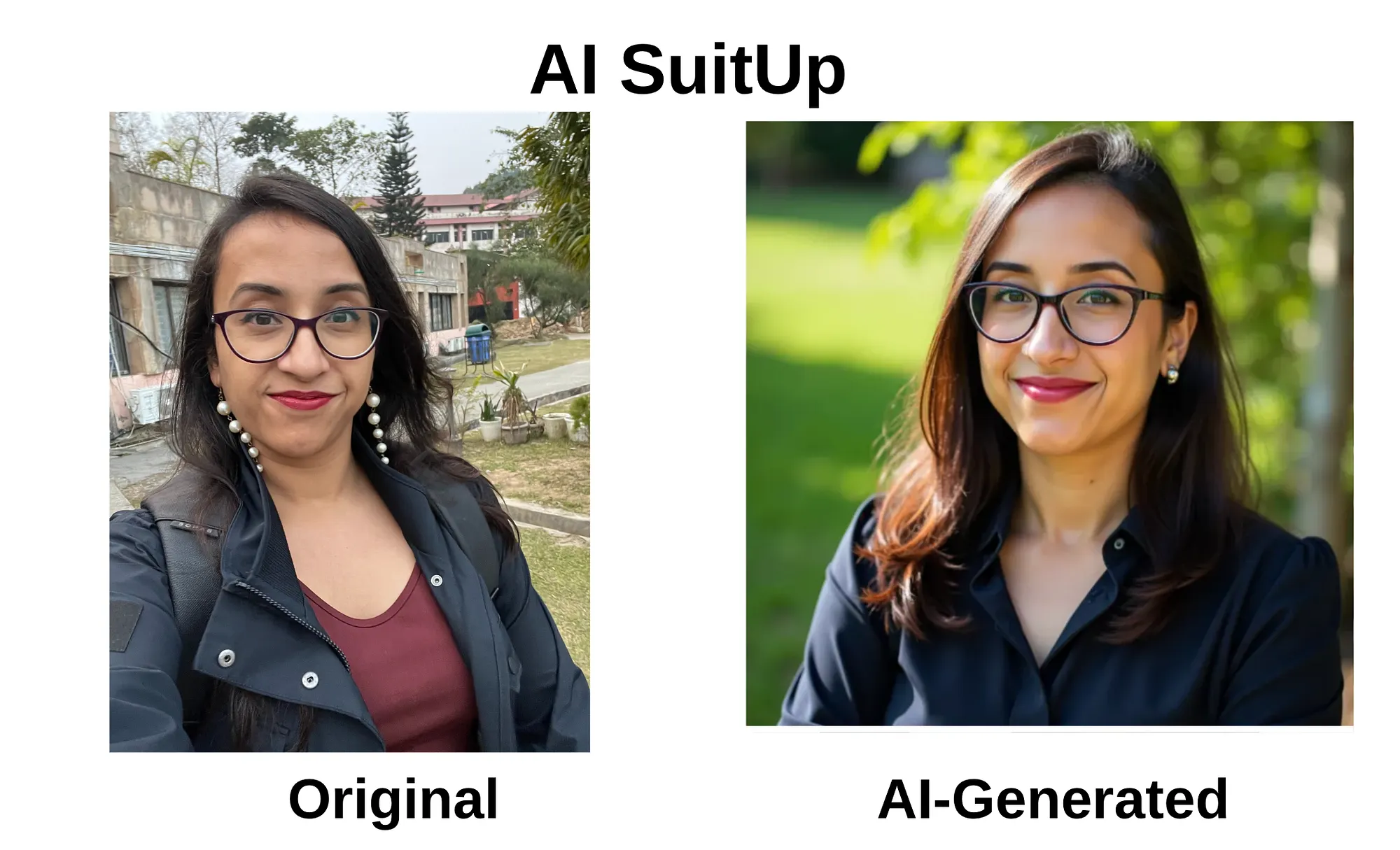
For freelancers who want professional results without premium pricing, AI SuitUp is one of the best value tools right now.
Tools creators should be more cautious with
Not all tools are bad, but not all are right for professional branding.
For example:
- Gemini AI (running on Nano Banana Pro) produced sharp images, but the face didn’t resemble me closely enough to be usable.
- Free AI headshot tools like AIEase, Supawork, and Remaker AI were fun to test, but the outputs looked rendered rather than photographed.
These tools might work for avatars or experimentation, but not for credibility-driven platforms.
How to choose the right AI headshot tool for your use case
Ask yourself:
- Will people who already know me recognize me instantly?
- Can I fix small issues without starting over?
- Does this photo feel appropriate for LinkedIn and my website?
- Do I get commercial rights to use this image everywhere?
If a tool can’t answer yes to most of these, it’s not creator-friendly, no matter how advanced the AI sounds.
Final takeaway
For creators, founders, and freelancers, the best AI headshot generators aren’t the ones that generate the most images.
They’re the ones that:
- Preserve your real face
- Let you refine instead of restart
- Fit into fast, creative workflows
If you want to see a full breakdown—including pricing, editing features, likeness consistency, and verdicts, I’ve ranked the best AI headshot generators I tested in a detailed comparison.
Affiliate disclosure: Some links in this post may be affiliate links. If you choose to sign up or purchase through them, I may earn a small commission at no extra cost to you. I only recommend tools I’ve personally tested or genuinely find useful.