Best AI Image Editors for Creators, Marketers, and Ecommerce (2026 Guide)
Discover the best AI image editors for creators, marketers, and ecommerce businesses in 2026. Compare tools like Fotor, MagicHour AI, Claid.AI, and Phot.AI.


Visual content has become the currency of the internet.
Whether you're running a blog, building a personal brand, managing social media for a client, or selling products online, high-quality images dramatically influence engagement, conversions, and brand perception.
The problem? Traditional image editing tools like Photoshop are powerful but time-consuming and difficult to learn.
That’s where AI image editors come in.
Modern AI tools can enhance photos, remove backgrounds, generate product images, and even change outfits or scenery with a few clicks.
In this guide, we’ll explore some of the best AI image editors for creators, marketers, and ecommerce businesses in 2026, based on real-world testing and workflows.
What Makes a Good AI Image Editor?
Not all AI editing tools are equally useful.
Some are great for social media visuals, while others are designed for product photography or professional branding.
When evaluating AI image editors, these factors matter most:
- Ease of use
Creators should be able to edit images without learning complex design software. - Editing realism
AI edits should look natural, not artificial or overly smoothed. - Speed
The tool should generate usable images quickly. - Flexibility
Good AI editors allow enhancements, background editing, and styling in the same workflow.
Let’s look at a few tools that stand out for creators and businesses.
1. Fotor: Best All-in-One AI Image Editor
Fotor is one of the most popular AI image editors available today.
Unlike many specialized tools, Fotor offers a wide range of editing features in one platform.
With Fotor, you can:
- remove or replace backgrounds
- upscale low-resolution images
- adjust lighting and color automatically
- change outfits, hairstyles, and makeup
- generate AI avatars
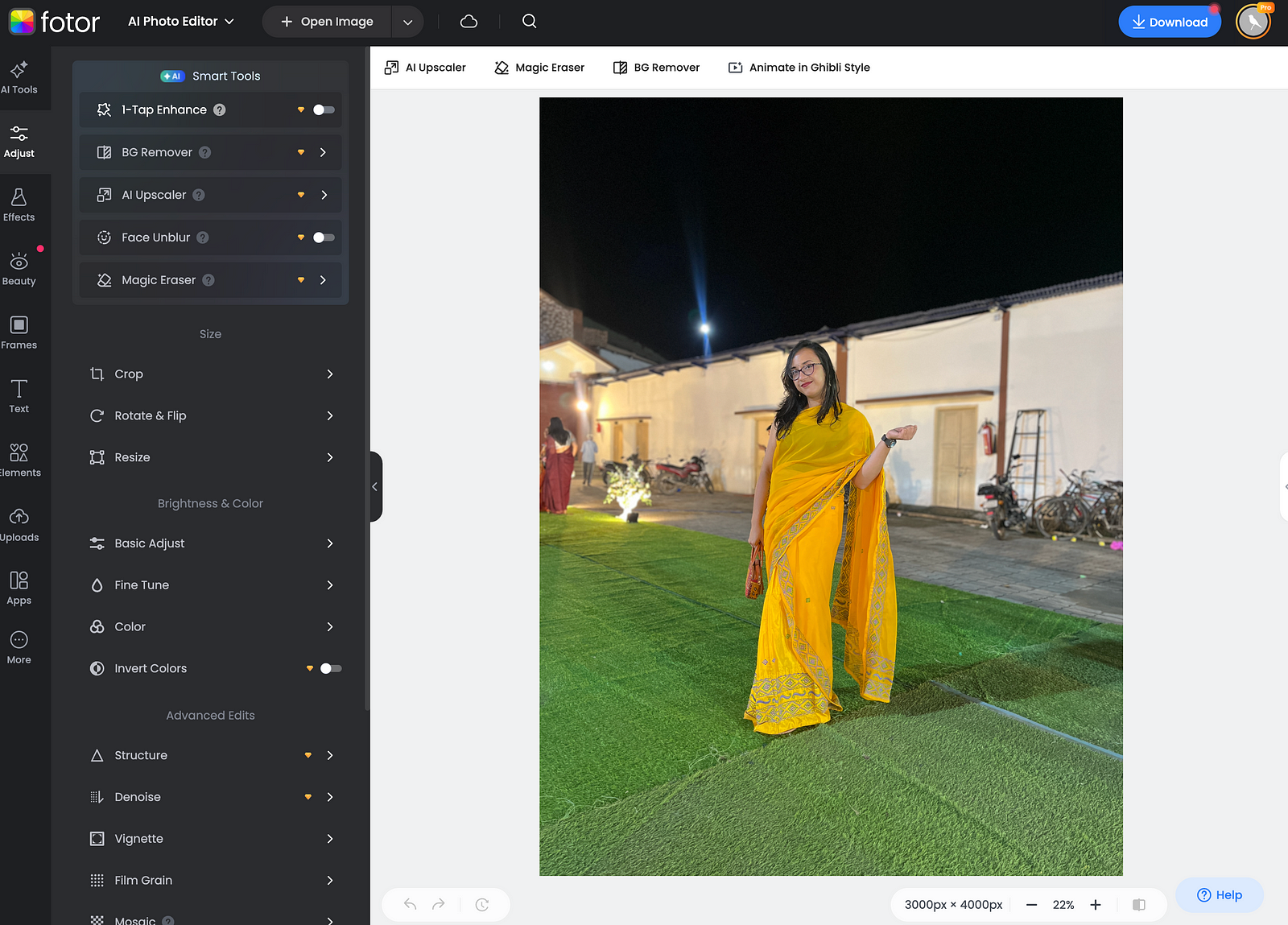
The interface is beginner-friendly and works directly in the browser, which makes it ideal for creators who want quick edits without installing complex software.
For bloggers, YouTubers, and social media creators, Fotor works well as an all-in-one AI editing tool.
2. MagicHour AI: Best for Styling and Visual Experiments
MagicHour AI feels less like a traditional photo editor and more like a creative studio.
Instead of manually adjusting sliders, you can use simple prompts to modify images.
For example, MagicHour AI allows creators to:
- change outfits or hairstyles
- generate different backgrounds
- create stylized headshots
- adjust facial expressions or pose details
This makes it particularly useful for personal branding visuals.
Creators can experiment with different looks or aesthetics without reshooting photos.
For example, here's a picture I uploaded -
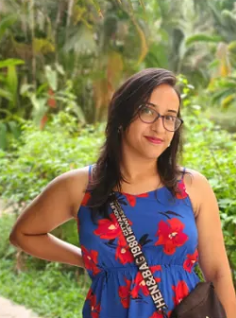
And this is what I got when I asked the tool to make my hair blonde and change my outfit to a lighter shade.
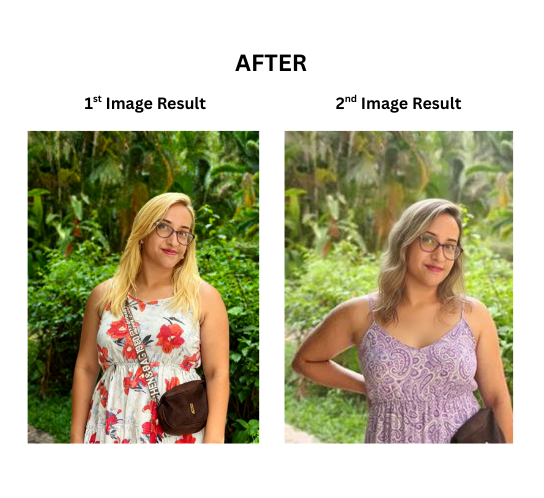
In many cases, a single selfie can be transformed into multiple professional-looking images suitable for LinkedIn profiles, websites, or marketing materials.
3. Claid.AI — Best for Product Photography
For ecommerce businesses, product visuals can make or break a sale.
Claid.AI focuses specifically on AI product photography.
Instead of manually staging product shoots, the tool helps create polished images with improved lighting, backgrounds, and composition.
Some common uses include:
- improving lighting on product photos
- replacing backgrounds with studio-style environments
- creating consistent product visuals across catalog listings
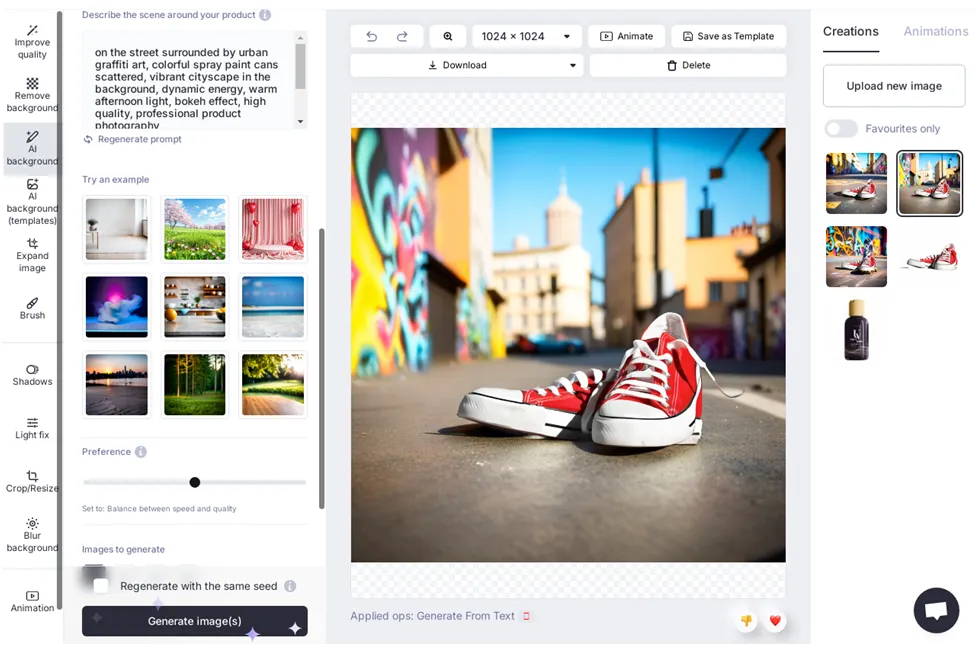
This makes Claid.AI particularly valuable for ecommerce stores that need to create professional product images at scale.
4. Phot.AI — Best for Background and Object Removal
Phot.AI is designed for quick image editing tasks.
If you need to clean up images for social media or marketing materials, it offers useful features such as:
- background removal
- object removal
- image enhancement
- AI-generated backgrounds
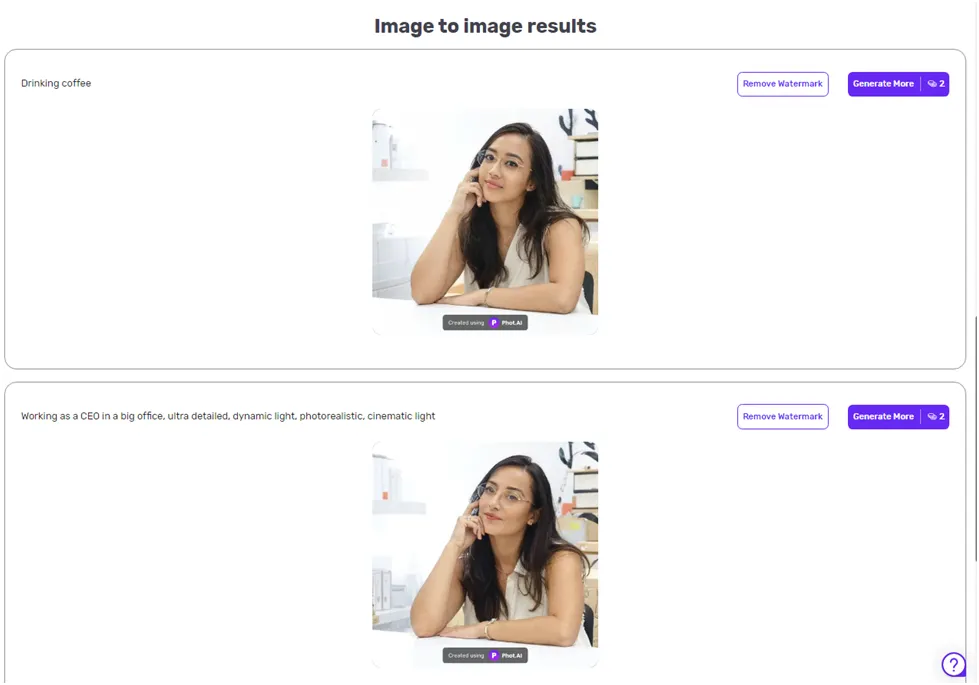
The tool uses a credit-based system, which makes it accessible for occasional edits.
Creators who frequently edit images for blog posts or social media graphics may find this tool especially useful for quick fixes.
Why AI Image Editors Are Becoming Essential for Creators
AI editing tools are changing the way creators produce visual content.
Instead of spending hours learning design software or outsourcing edits, creators can now produce polished visuals quickly.
This is especially valuable for:
- Content creators
Bloggers, YouTubers, and influencers who need consistent visuals. - Marketers
Teams creating social media ads or campaign graphics. - Ecommerce businesses
Stores that require professional product photography without expensive studio setups.
AI tools reduce the technical barrier to producing high-quality visuals, allowing creators to focus more on storytelling and content strategy.
Choosing the Right AI Image Editor
The best AI editor depends on what you want to create.
Here’s a quick guide:
- Best all-in-one AI editor: Fotor
- Best for creative styling: MagicHour AI
- Best for ecommerce product photos: Claid.AI
- Best for background and object removal: Phot.AI
Each tool excels in different workflows, so many creators end up using a combination of them.
If you want a deeper comparison of tools and features, I recently tested 20+ AI image editors and ranked the best ones based on real-world results.
Final Thoughts
AI image editing has reached a point where creators no longer need complex design skills to produce professional visuals.
From background removal to product photography and AI styling, these tools are helping creators work faster and experiment more freely.
As AI continues to improve, image editing will likely become even more automated and accessible.
For creators, marketers, and ecommerce businesses, learning how to use these tools can be a powerful advantage in building stronger visual content.
Affiliate Disclosure: This article contains affiliate links. If you purchase through them, I may earn a small commission at no extra cost to you.