Fotor vs MagicHour vs Freepik: Which AI Image Editor Is Actually Better?
Fotor vs MagicHour vs Freepik — which AI image editor is better in 2026? Compare features, editing quality, pricing, and use cases for creators and marketers.


AI image editing tools are evolving rapidly.
Creators no longer need advanced design skills to enhance photos, generate new styles, or create marketing visuals. Modern AI editors can remove backgrounds, upscale images, generate new outfits, and transform ordinary photos into professional content in seconds.
But with dozens of tools available, choosing the right one can be confusing.
Three tools that often come up in creator workflows are Fotor, MagicHour AI, and Freepik. Each platform offers powerful AI editing features, but they focus on different use cases.
In this comparison, we’ll break down how these three tools perform across editing quality, usability, features, and value to help you decide which one fits your workflow best.
Quick Comparison: Fotor vs MagicHour vs Freepik
| Tool | Best For | Key Strength |
|---|---|---|
| Fotor | All-in-one AI image editing | Wide range of AI editing features (background removal, upscaling, styling) |
| MagicHour AI | Styling and prompt-based edits | Creative transformations like outfit changes and AI headshots |
| Freepik AI Image Editor | Quick design edits | Fast, intuitive editing for social media graphics and marketing visuals |
Each tool excels in a slightly different area, so the best option depends on what type of editing you do most often.
Fotor: Best All-in-One AI Photo Editor
Fotor is one of the most well-known AI image editors on the market.
What makes it stand out is the sheer number of editing features available in one place. Instead of specializing in one editing task, Fotor combines multiple AI tools in a single interface.
With Fotor, creators can:
- remove backgrounds
- upscale low-resolution images
- change hairstyles or outfits
- adjust lighting automatically
- generate avatars and stylized portraits
The editing process is extremely straightforward. You simply upload an image, choose an AI feature, and the tool generates results within seconds.
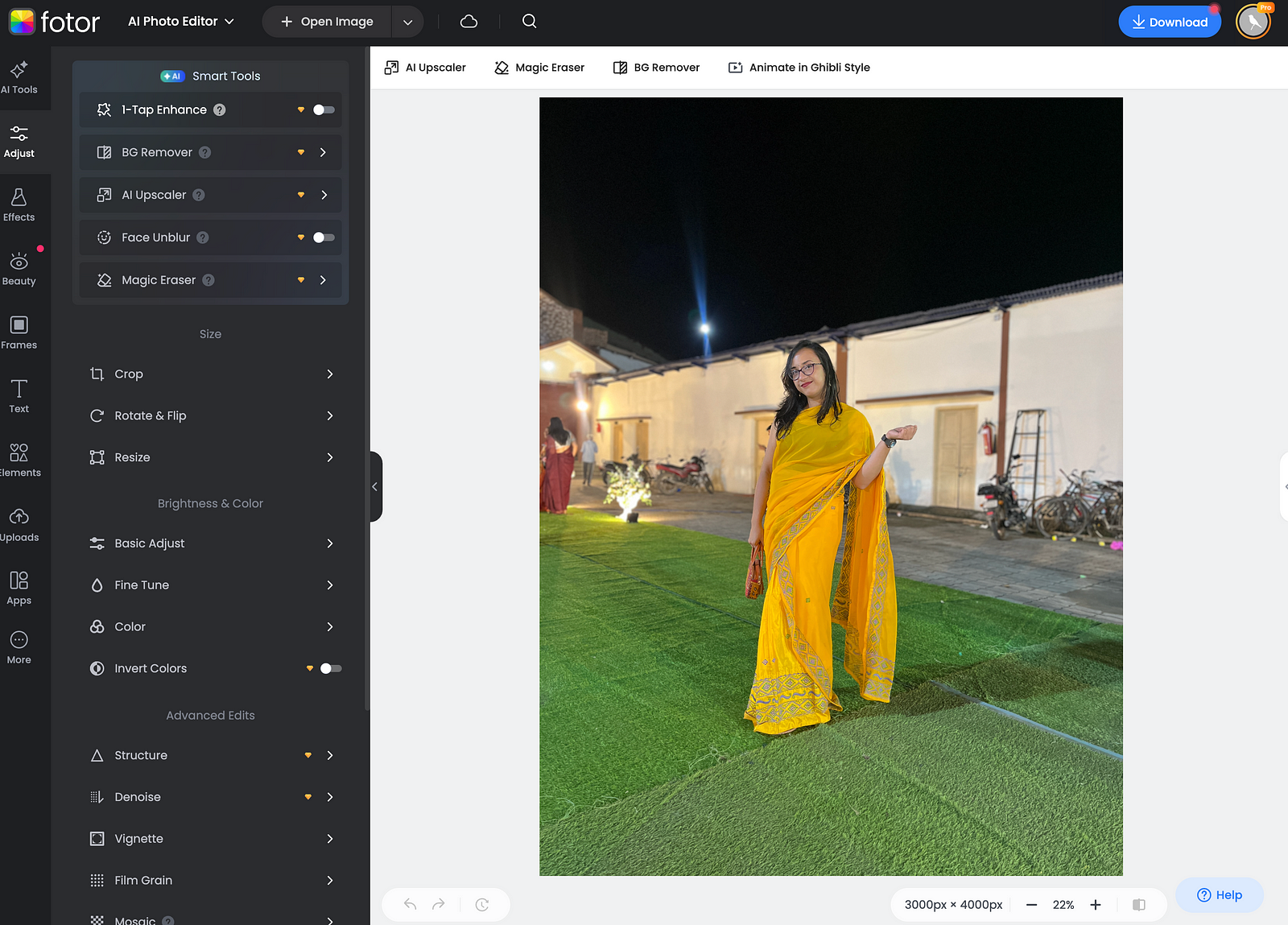
Because of this versatility, Fotor works well for bloggers, social media creators, and entrepreneurs who want one tool that handles most of their editing needs.
However, since Fotor tries to do everything, it doesn’t always offer the deepest control over specific creative transformations.
MagicHour AI: Best for Creative Styling and Image Transformations
MagicHour AI takes a slightly different approach.
Instead of focusing on traditional editing tools, it emphasizes AI-driven transformations using prompts and presets.
Creators can experiment with:
- outfit changes
- hair color adjustments
- new backgrounds
- stylized headshots
- facial expression tweaks
In many cases, a single selfie can be transformed into multiple professional-looking photos.
This makes MagicHour AI particularly useful for personal branding visuals. Content creators can quickly generate images suitable for profile photos, social media, or marketing materials without scheduling new photoshoots.
MagicHour AI also supports features like turning edited images into short video clips, which makes it appealing for creators producing reels or short-form content.
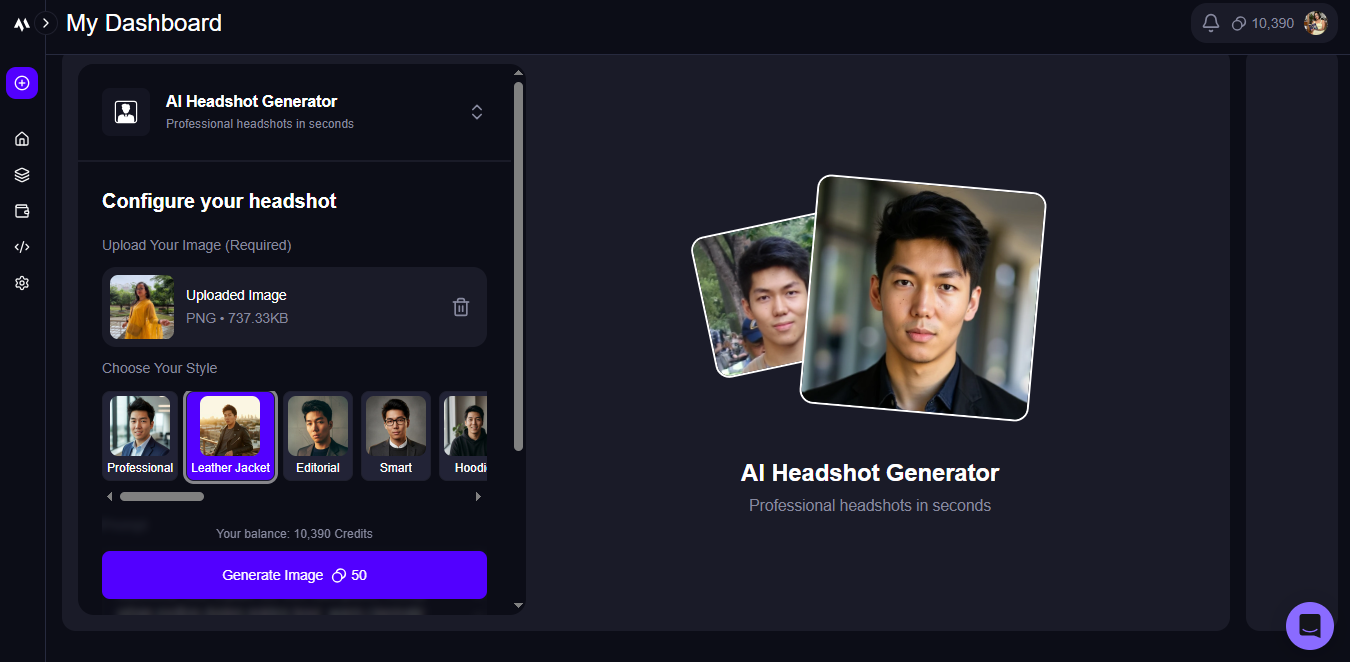
The trade-off is that prompt-based editing sometimes smooths facial details more than traditional editing tools.
Freepik AI Image Editor: Best for Fast Design Edits
Freepik is widely known for its design assets and templates, but its AI Image Editor has become surprisingly powerful.
Unlike tools focused on photography or styling, Freepik emphasizes quick design adjustments.
Users can:
- remove unwanted elements
- replace backgrounds
- resize visuals with AI fill
- adjust color and lighting
- upscale image resolution
The interface is extremely intuitive. Even users with no design background can upload an image and start editing immediately.
This makes Freepik particularly useful for marketers and designers creating quick visuals for social media, blog graphics, or ad creatives.
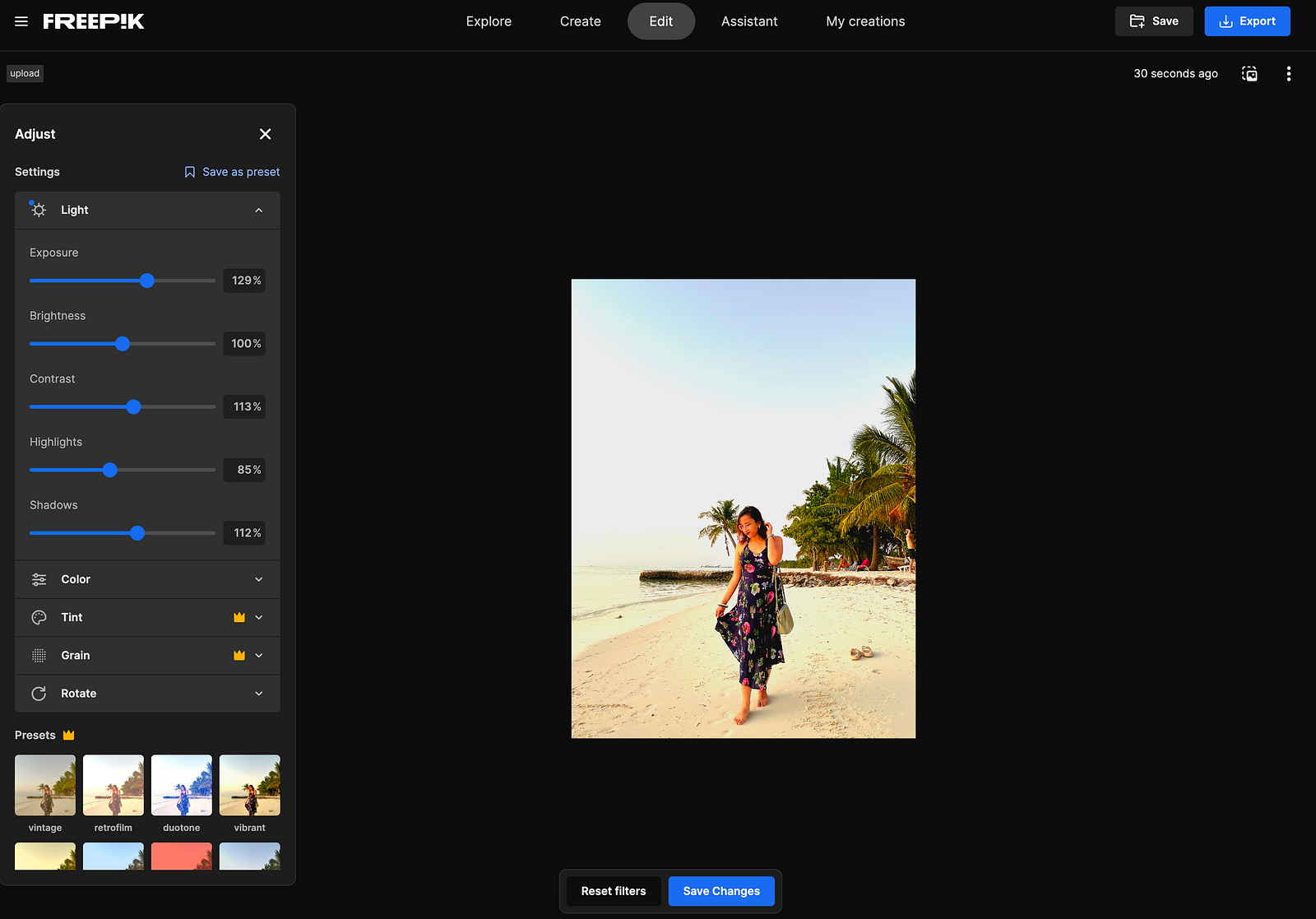
However, Freepik is less specialized when it comes to deep AI styling or detailed photo transformations compared to tools like MagicHour.
Editing Quality Comparison
When comparing the three tools, the editing results are surprisingly strong across the board.
Fotor tends to produce the most balanced results for traditional editing tasks like background removal and lighting adjustments.
MagicHour AI excels when it comes to creative transformations, such as changing outfits or generating stylized images.
Freepik's AI editor shines in design workflows, where quick edits and resizing are more important than detailed styling.
For creators who regularly publish visual content, each tool can serve a slightly different role.
Ease of Use
All three tools are beginner-friendly, but they feel different in practice.
- Fotor feels like a simplified version of Photoshop with AI-assisted tools.
- MagicHour AI behaves more like a creative AI playground where prompts drive transformations.
- Freepik focuses on quick edits and design adjustments with minimal complexity.
For users who prefer structured editing tools, Fotor is often the easiest starting point.
For creators who enjoy experimenting with AI transformations, MagicHour AI tends to feel more flexible.
Pricing Comparison
Pricing varies depending on how often you use the tools.
Fotor offers a free plan with limited generative credits, while paid plans unlock additional features and AI edits.
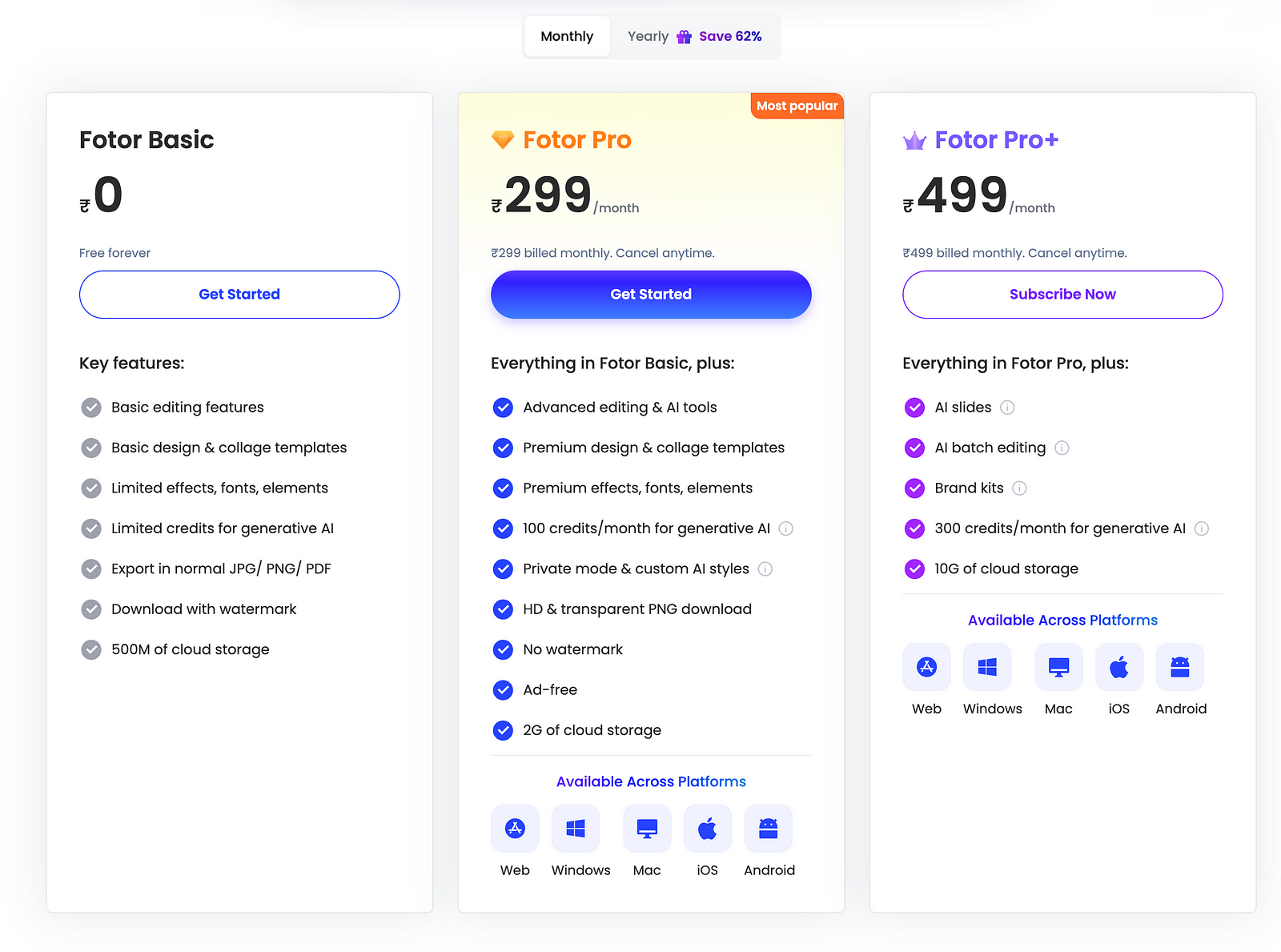
MagicHour AI includes a free plan for experimentation, with paid tiers offering higher generation limits and better output quality.

Freepik editor can be used for free, but the broader Freepik ecosystem requires a premium subscription to unlock advanced assets and tools.
For most creators, these tools are affordable compared to the cost of traditional design software or hiring editors.
Which AI Image Editor Should You Choose?
The best tool ultimately depends on your workflow.
Choose Fotor if you want an all-in-one AI editor that handles most editing tasks.
Choose MagicHour AI if you want to experiment with styling, transformations, and creative prompts.
Choose Freepik if your focus is creating quick visuals and design assets for content or marketing.
Many creators actually combine multiple tools depending on the type of editing they need.
Final Thoughts
AI image editing tools are rapidly transforming how creators produce visual content.
Instead of mastering complex design software, creators can now enhance photos, generate new looks, and build marketing visuals with minimal effort.
Fotor, MagicHour AI, and Freepik each represent a different direction in AI editing — traditional editing, creative transformation, and design-focused workflows.
If you want a deeper breakdown of the tools I tested, I recently evaluated 20+ AI image editors and ranked the best ones based on real-world creator workflows.
Affiliate Disclosure: This article contains affiliate links. If you purchase through them, I may earn a small commission at no extra cost to you.