How AI Image Editors Work (And Why They’re Replacing Photoshop for Creators)
How AI image editors work and why creators are replacing Photoshop with AI tools. Learn how AI photo editing works with examples from Fotor, MagicHour, and more.


AI image editing used to sound like a gimmick.
A few years ago, tools that promised “automatic photo editing” often produced awkward results: distorted faces, weird shadows, or over-smoothed skin that looked nothing like real photography.
But things have changed dramatically.
Today’s AI image editors can remove backgrounds, enhance low-quality photos, change outfits, fix lighting, and even generate entirely new scenes, often in seconds.
For creators, marketers, and entrepreneurs, this shift is huge. Instead of spending hours learning complex software like Photoshop, you can now edit images with a few clicks or a short text prompt.
In this guide, we’ll break down how AI image editors actually work and why many creators are replacing traditional editing tools with them.
What Is an AI Image Editor?
An AI image editor is a tool that uses machine learning models to automatically analyze and modify images.
Instead of manually adjusting dozens of sliders or masking layers, the AI identifies key elements in the image, like faces, backgrounds, lighting, and textures, and edits them automatically.
Common AI editing tasks include:
- background removal
- image enhancement and upscaling
- object removal
- outfit or hairstyle changes
- lighting correction
- AI-generated backgrounds
These capabilities are powered by computer vision models trained on millions of images.
The AI learns patterns like:
- how faces are structured
- how lighting behaves
- what realistic textures look like
This allows the tool to make edits that look natural rather than artificially filtered.
How AI Image Editors Actually Work
Most modern AI photo editors rely on a combination of three technologies:
1. Computer Vision
Computer vision helps the AI understand what’s inside an image.
It identifies elements such as:
- faces
- people
- clothing
- objects
- backgrounds
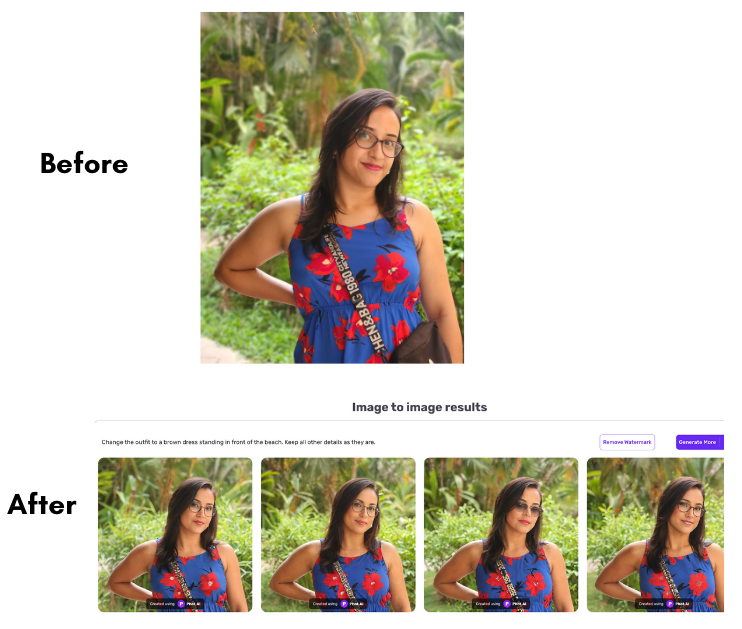
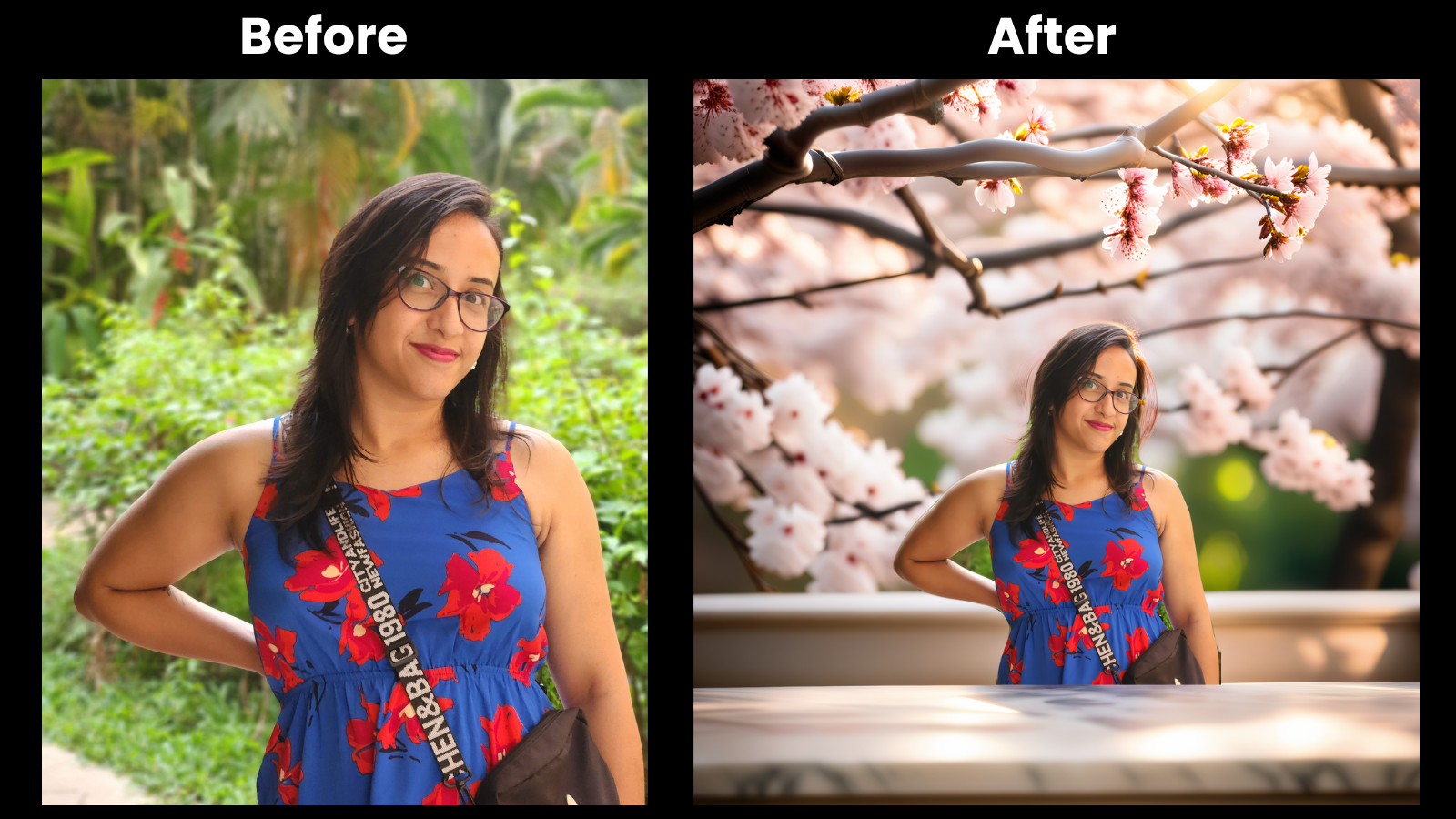
For example, when you remove a background, the AI first detects where the subject ends and the background begins.
Tools like MagicHour AI and Phot.AI use computer vision to automatically separate foreground subjects from backgrounds.
2. Generative AI
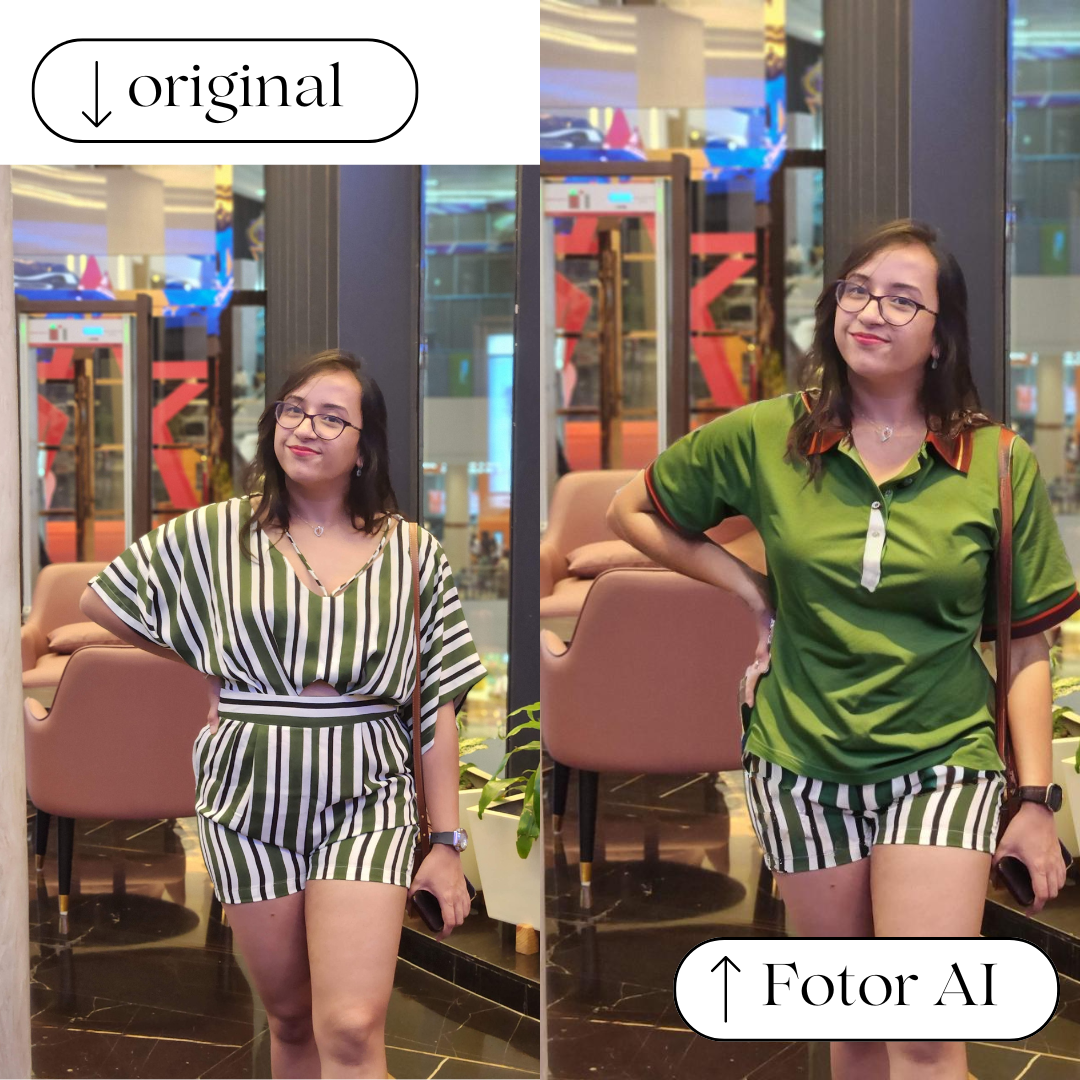
Generative AI fills in missing or edited parts of an image.
If you remove an object or change a background, the AI needs to reconstruct pixels so the image still looks natural.
For example:
- Fotor can change hair color, outfits, or scenery using simple text prompts.
- The AI generates new visual details that match the original photo’s lighting and perspective.
This technology is similar to the models used in AI image generators.
3. Image Enhancement Models
AI image enhancers use deep learning models trained on high-resolution photography.
They improve:
- sharpness
- lighting
- color balance
- detail
Tools like Claid.AI specialize in this area, helping creators upscale blurry or low-resolution photos while preserving detail.
This is particularly useful when repurposing older images or improving smartphone photos.
What AI Image Editors Can Do Today
Modern AI editing tools go far beyond simple filters.
Here are some of the most useful capabilities creators rely on.
1. Background Removal
Removing backgrounds used to require tedious manual masking in Photoshop.
AI can now do it instantly.
For example, Zoviz automatically detects the subject in an image and removes the background in seconds.


AI background removal by Zoviz
This is extremely useful for:
- product photography
- profile photos
- thumbnails
- marketing graphics
2. AI Photo Enhancement
Many creators work with imperfect photos.
Low lighting, motion blur, or smartphone cameras can reduce quality.
AI enhancement tools improve images by:
- sharpening details
- adjusting lighting
- restoring textures
HitPaw FotorPea, for instance, focuses specifically on AI photo enhancement and upscaling.
This makes it ideal for improving images that would otherwise be unusable.
3. AI Styling and Outfit Changes
One of the most interesting developments in AI editing is style transformation.
Instead of manually editing clothing or hairstyles, you can prompt the AI to generate variations.
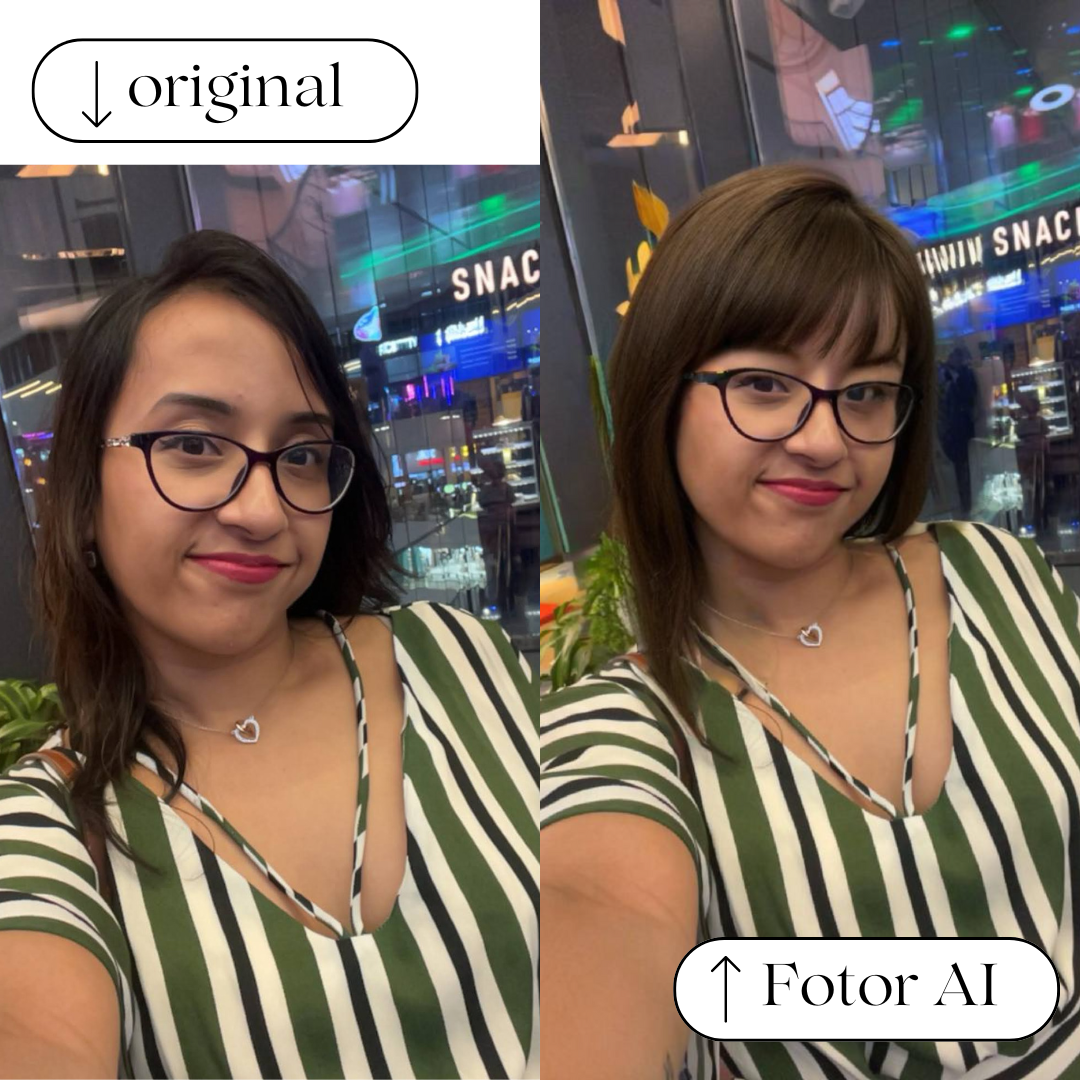
Tools like Fotor allow creators to:
- change outfits
- generate new backgrounds
- adjust expressions
- create professional headshots
This can turn a simple selfie into a polished branding image.
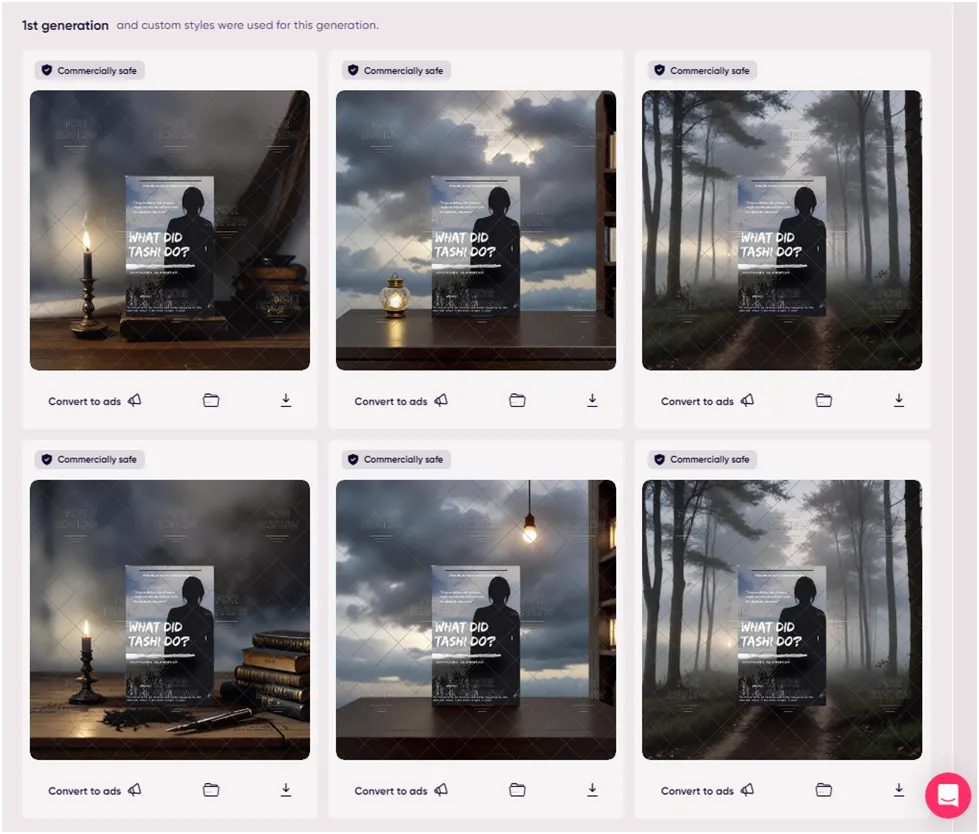
4. Product Photography Without a Studio
Ecommerce sellers often need dozens of product photos.
Instead of renting studios or hiring photographers, AI can generate professional backgrounds and lighting.
Tools like Adcreative.AI and Claid.AI help businesses create product visuals quickly for:
- ecommerce listings
- advertisements
- social media posts
This dramatically reduces production costs.
Why Creators Are Moving Away from Photoshop
Photoshop is still extremely powerful, but it has a steep learning curve.
Many creators simply don’t have the time to learn advanced editing techniques.
AI image editors solve three major problems:
Speed
AI tools can produce polished edits in seconds instead of hours.
Simplicity
Most AI editors work with:
- simple uploads
- text prompts
- one-click adjustments
Accessibility
Creators without design experience can now produce professional visuals.
For bloggers, YouTubers, and entrepreneurs, this lowers the barrier to creating high-quality visual content.
The Best AI Image Editors Right Now
There are dozens of AI editing tools available today.
Some of the strongest options include:
- Fotor – a powerful all-in-one AI photo editor
- MagicHour AI – excellent for styling and prompt-based edits
- HitPaw FotorPea – strong AI photo enhancement
- Phot.AI – good for object removal and background editing
Each tool excels in slightly different areas depending on your workflow.
If you want to see a detailed comparison of the tools I tested, you can read my full breakdown of the best AI image editors here.
The Future of AI Image Editing
AI editing tools are improving extremely quickly.
New models are becoming better at:
- preserving facial details
- matching lighting realistically
- generating natural textures
We’re also seeing AI tools combine multiple features into a single workflow: editing, styling, enhancement, and even video generation.
For creators, this means editing tools will continue to become faster, smarter, and easier to use.
Instead of replacing creativity, AI is becoming a powerful assistant that removes the technical barriers to visual storytelling.
Final Thoughts
AI image editors are transforming how creators produce visual content.
Tasks that once required professional design skills can now be completed with a few clicks.
Whether you're enhancing photos, generating new styles, or creating product images, AI tools are making professional editing accessible to everyone.
If you're exploring which tools are actually worth using, I recently tested 20+ AI image editors and ranked the best options based on real-world results.
Affiliate Disclosure: This article contains affiliate links. If you purchase through them, I may earn a small commission at no extra cost to you.