How I Test AI Image Generators for Real Client Work (My 2026 Framework)
I tested 30+ AI image generators on real client work. Here’s the exact 2026 framework I use to judge quality, edits, text accuracy, and commercial readiness.


Most “best AI image generator” lists focus on one thing: How pretty the image looks.
That’s not how client work operates. When an image is meant for:
- a paid ad
- a brand launch
- a LinkedIn carousel
- a website hero section
pretty isn’t enough.
In 2026, I’ve tested 30+ AI image generators, to see which ones survive real-world constraints: feedback, revisions, deadlines, text accuracy, and commercial use. And of course, they have to generate pretty pictures - that's a non-negotiable.
This article breaks down the exact framework I use to test AI image generators for real client work, with examples from tools I tested extensively.
My 2026 Testing Framework (What Actually Matters)
I evaluate every AI image generator across five non-negotiable criteria:
- Output quality (beyond first glance)
- Editability & revision control
- Text accuracy (if text is involved)
- Consistency across variations
- Commercial readiness
If a tool fails even one of these badly, it doesn’t make my shortlist.
Let me show you how this works in practice.
1. Output Quality (Usable, Not Just Impressive)
The first image almost always looks good. That’s not the test.
The real test is:
Would I confidently send this to a client without an apology?
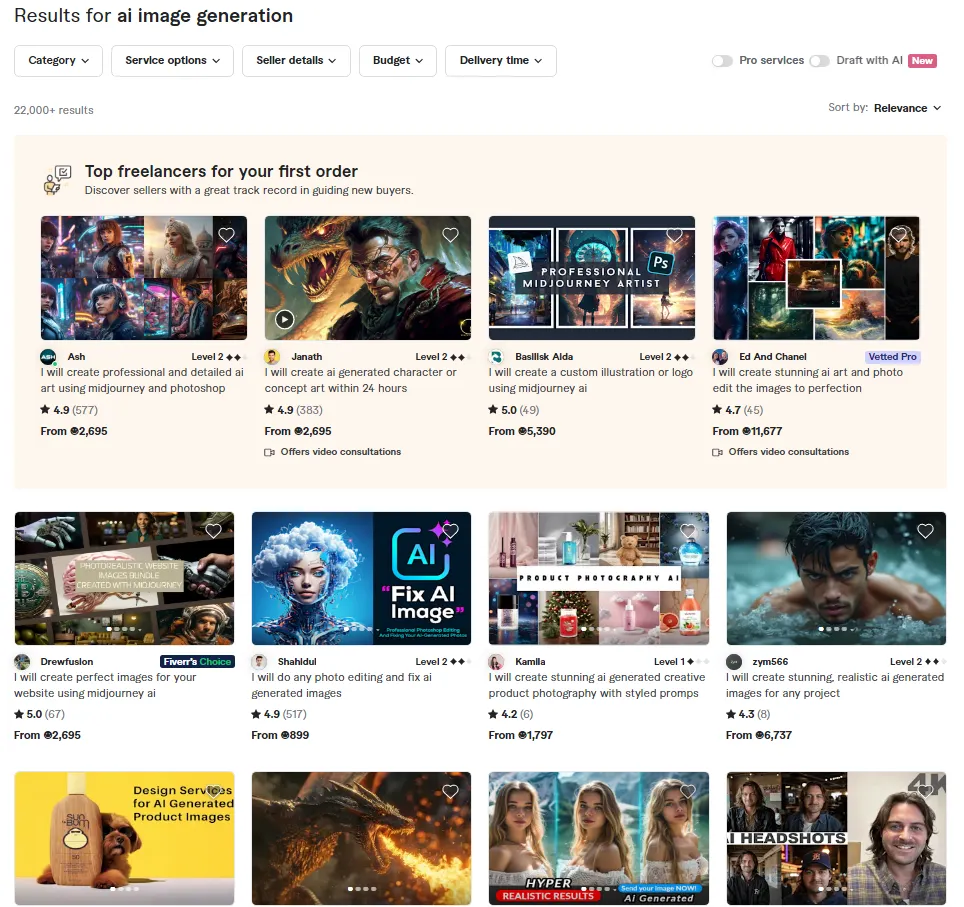
Example: Fiverr (AI + Human Judgment)
When I ordered AI-generated images via Fiverr for a client-style use case, the difference was immediate.
- The images were stunning, visually strong
- They matched context (LinkedIn vs ads vs content)
- Subtle details (posture, framing, mood) were corrected by a human
For $30, I received images I could use immediately without no visual compromises or asking for more time from the client.
Verdict:
AI alone can generate. AI + human taste delivers.
2. Editability & Revision Control (The Make-or-Break Factor)
Client work is never one-and-done.
You’ll hear things like:
- “Can we change the background?”
- “Can we remove this object?”
- “Same image, but different mood?”
If a tool forces you to regenerate everything from scratch, it fails this test.
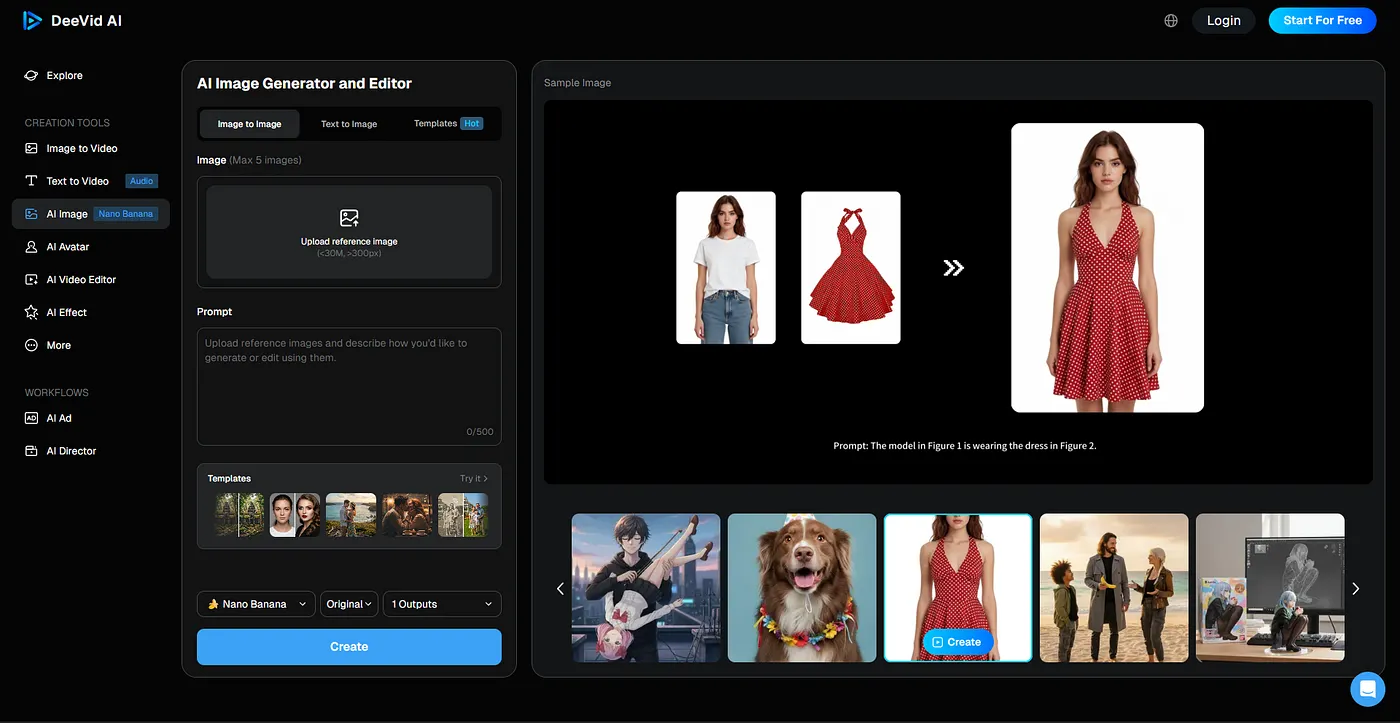
Example: DeeVid AI (Generation + Editing in One Flow)
DeeVid stood out because editing is built into the workflow.
I tested:
- inpainting (editing a specific area)
- outpainting (expanding scenes)
- quick object removal
Instead of starting over, I could surgically adjust the image, the same way client revisions actually work.
Verdict:
For tight deadlines, editing > regeneration.
3. Text Accuracy (Underrated, Critical in 2026)
Posters, thumbnails, banners, and announcements all include text. And text is where many AI image tools still break.
The test:
Does the text survive a second look?
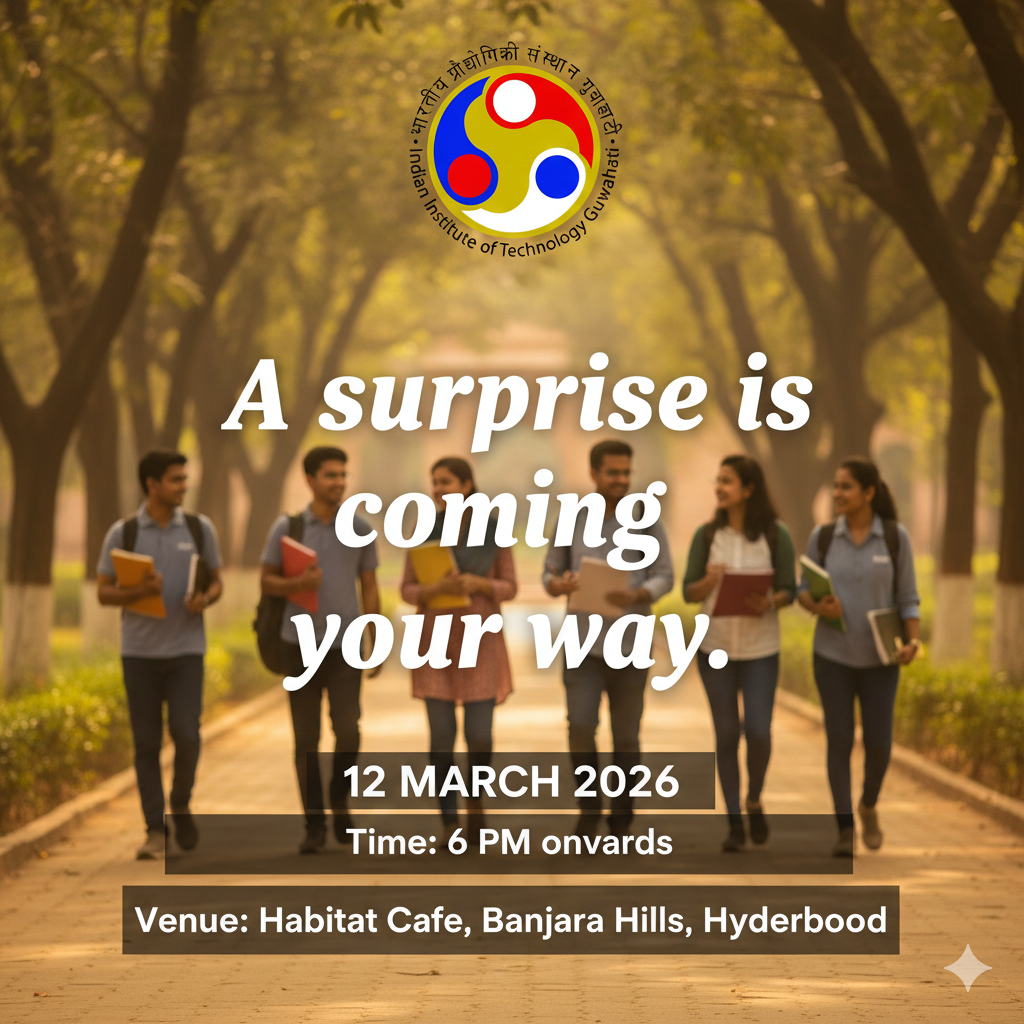
Example: Nano Banana Pro (Gemini)
Nano Banana Pro performs better than most tools when it comes to:
- readable layouts
- structured posters
- text-heavy visuals
I tested it with an alumni event poster:
- English version: clean, readable, usable
- Hindi version: structurally correct, but text errors appeared
The layout intelligence was impressive — but human review was still necessary.
Verdict:
Excellent for posters, diagrams, and layouts. Pro tip: never skip proofreading.
4. Consistency (Can It Hold a Brand Together?)
Client work requires visual continuity:
- same character
- same vibe
- same brand tone
Many tools create beautiful one-offs but collapse across variations.
I test this by:
- regenerating the same concept in multiple styles
- changing aspect ratios
- requesting similar images across a “set”
If the character or tone drifts wildly, the tool fails this category.
5. Commercial Readiness (The Final Filter)
Before I recommend any tool for client work, I check:
- Are there watermarks?
- Is commercial use allowed?
- Is licensing clear?
- Would I feel safe using this for a paying client?
This is why:
- Fiverr consistently passes
- Paid tools outperform free ones
- “Free but usable” is rare in real workflows
If a tool creates legal or ethical uncertainty, I don’t use it for client-facing work, no matter how impressive the output looks.
My 2026 Rule of Thumb
Here’s the distilled truth after testing 30+ tools:
- AI is incredible at generating options
- Humans are still essential for judgment
- Editing workflows matter more than raw generation
- Text and consistency are the hardest problems to solve
- Client-ready doesn't always mean Instagram-ready
That’s why my final recommendations depend entirely on use case, not hype.
If you’re curious about which tools actually passed this framework — and how they compare side by side — I documented everything here:
👉 The AI image generators that actually matter in 2026
(screenshots, pricing, strengths, limitations, and real examples included)
Final note
This testing framework for AI image generator tools isn’t static.
As tools evolve, the bar gets higher, and so does my testing.
Pretty images are easy. It's creating reliable creative systems where most AI tools fall short.
If you’re building for clients, that difference matters.
Affiliate disclosure: This article contains affiliate links. If you purchase a subscription through these links, I may earn a small commission at no extra cost to you. Thank you for supporting my work!