Why Most AI Headshots Look Fake (And How the Best Tools Avoid It)
Why do most AI headshots look fake? Here’s what causes uncanny results—and how the best AI headshot tools avoid it in 2026.


AI headshot generators have improved dramatically by 2026. And yet, most AI headshots still look fake.
Not “obviously AI” fake, but subtly off in ways that trigger doubt. Something about the skin, the eyes, the lighting, and the face that almost looks like you, but not quite.
After testing 30+ AI headshot generators, a pattern became clear: The problem is how most AI tools handle realism.
Here’s why so many AI headshots fail, and what the best tools do differently.
The three biggest reasons AI headshots look fake
1. Over-smoothed skin (the “plastic face” problem)
The most common giveaway is skin that looks too perfect.
Many AI models aggressively smooth texture in an attempt to make faces look “professional.” The result? Faces that resemble 3D renders instead of photographs.
This was especially noticeable in free tools I tested, like AIEase, Supawork, and Remaker AI. While some outputs were impressive at first glance, the lack of pores, fine lines, and natural shadows made the images feel artificial, definitely not LinkedIn-ready.
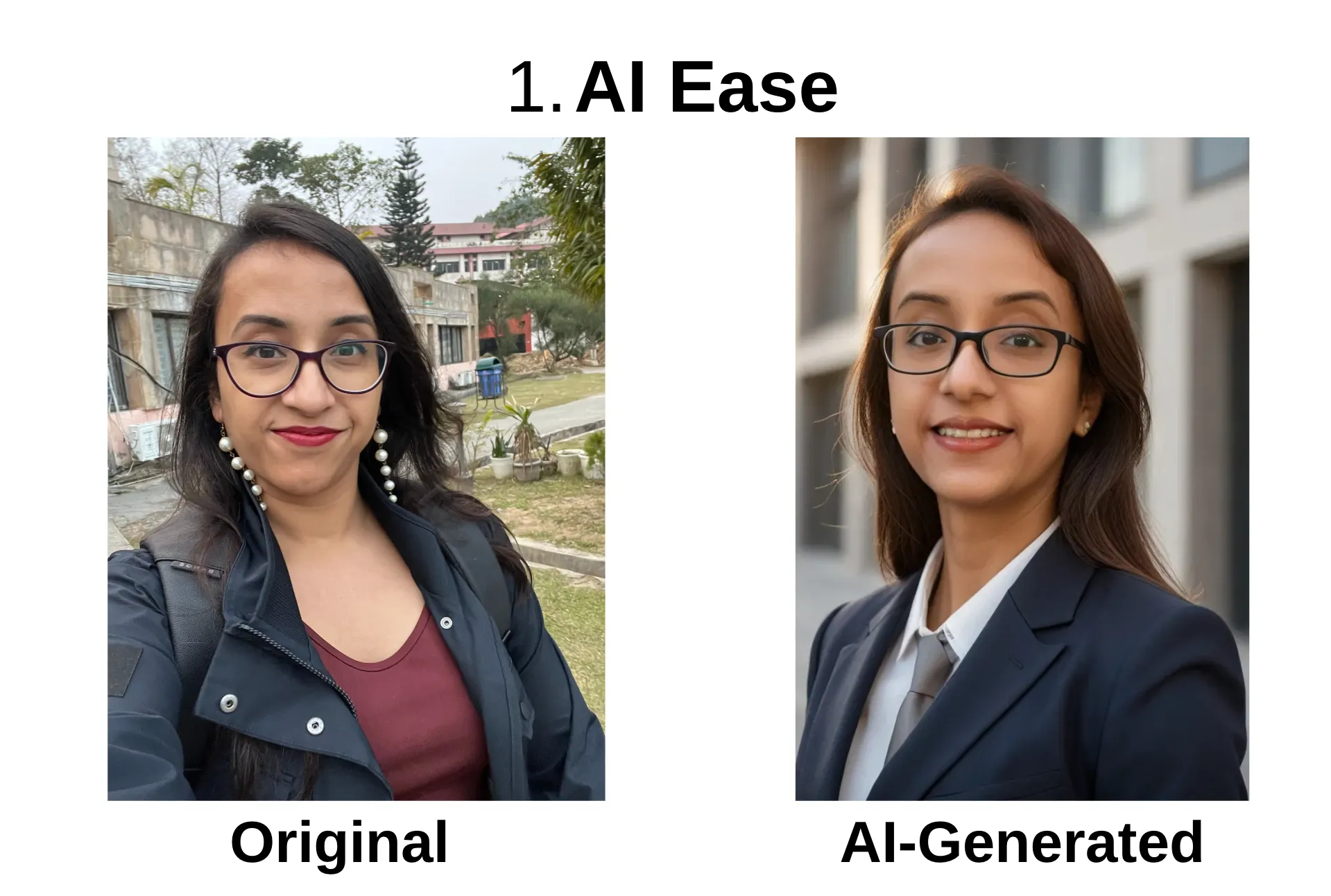
By contrast, tools like Proshoot.co and BetterPic preserved natural skin texture and subtle imperfections, which made the images feel far more believable.
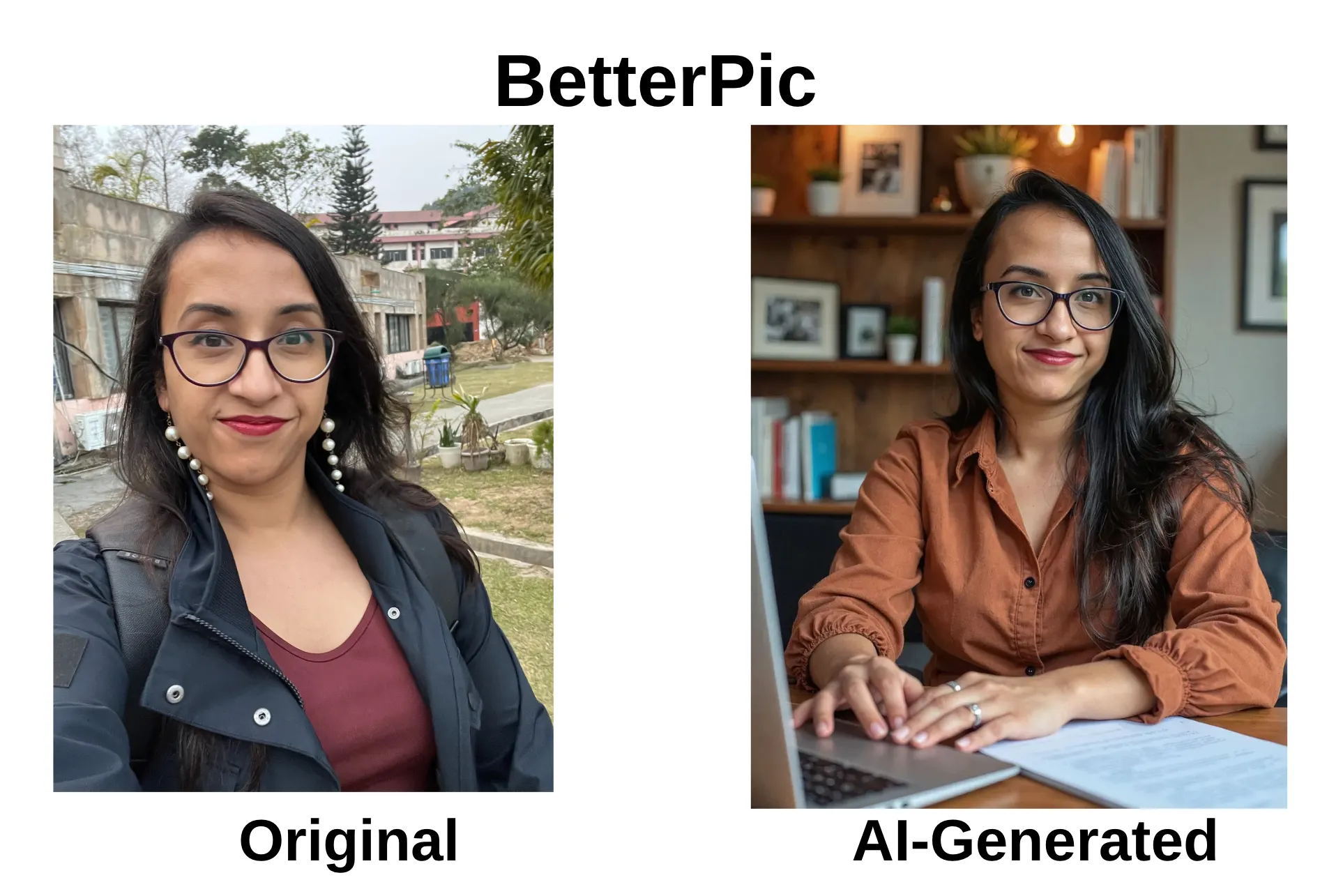
👉 Real photos aren’t flawless. AI headshots shouldn’t be either.
2. Face drift (when the AI slowly changes your identity)
Another major issue is identity drift, when the AI subtly alters your facial features.
In my testing:
- Gemini AI (running on Nano Banana Pro) generated a technically sharp image, but the woman in the output didn’t resemble me at all. Different eyes, different hair, missing glasses. There was no way I could use that image professionally.
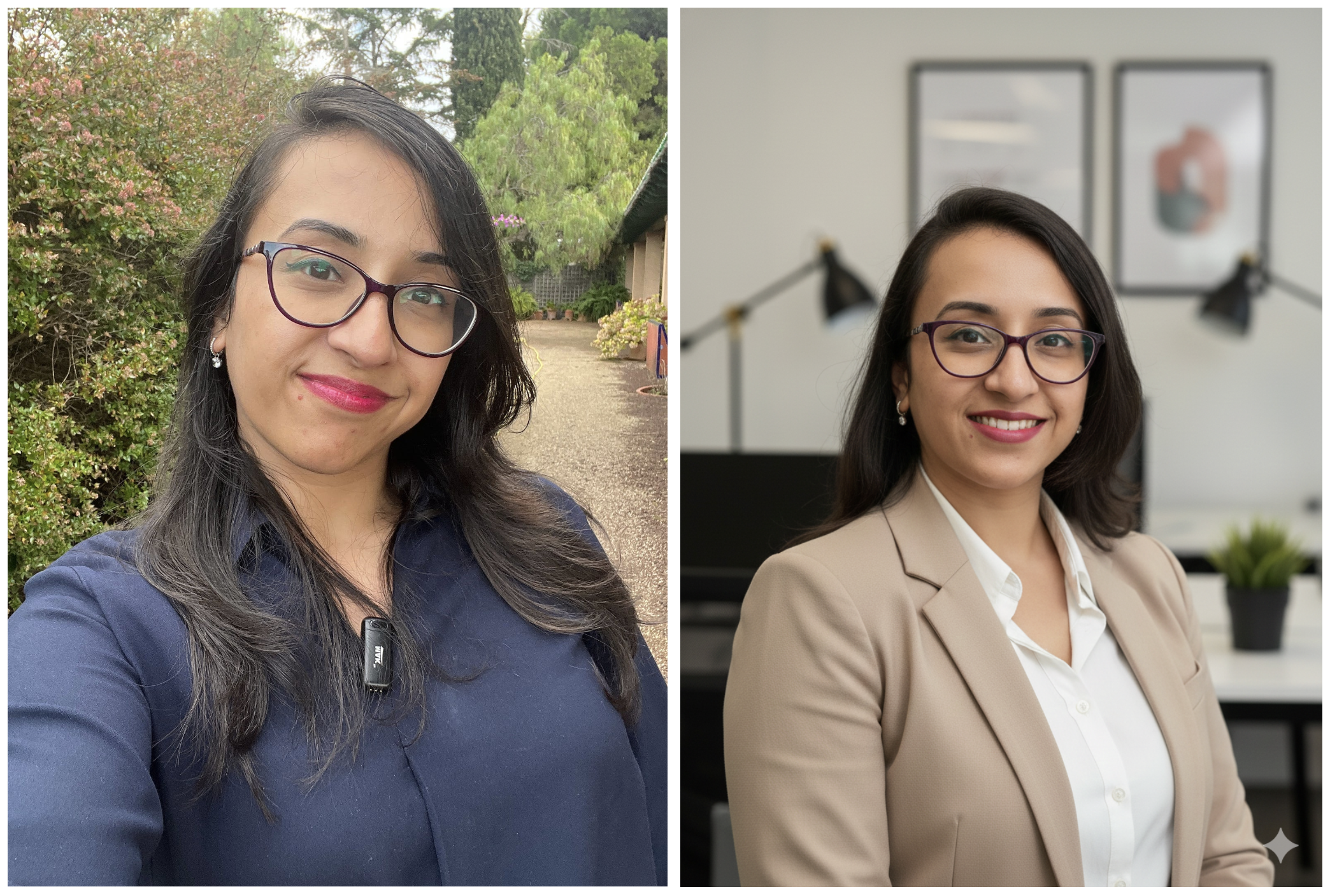
- Even strong tools can slip here. For example, BetterPic initially generated several headshots without my glasses because I uploaded a few glasses-free selfies. The likeness issue was fixable, but only because BetterPic offers human edits.
If an AI headshot doesn’t pass the “would my friends recognize me instantly?” test, it’s not safe for professional use.
3. Unreal lighting and generic expressions
Many AI headshots fail because they don’t obey the rules of real photography.
Common issues include:
- Lighting that doesn’t match the environment
- Shadows that fall unnaturally on the face
- Expressions that feel frozen or emotionally flat
Some tools generate images that look like stock photos of people who don’t exist. Polished, symmetrical, and completely forgettable.
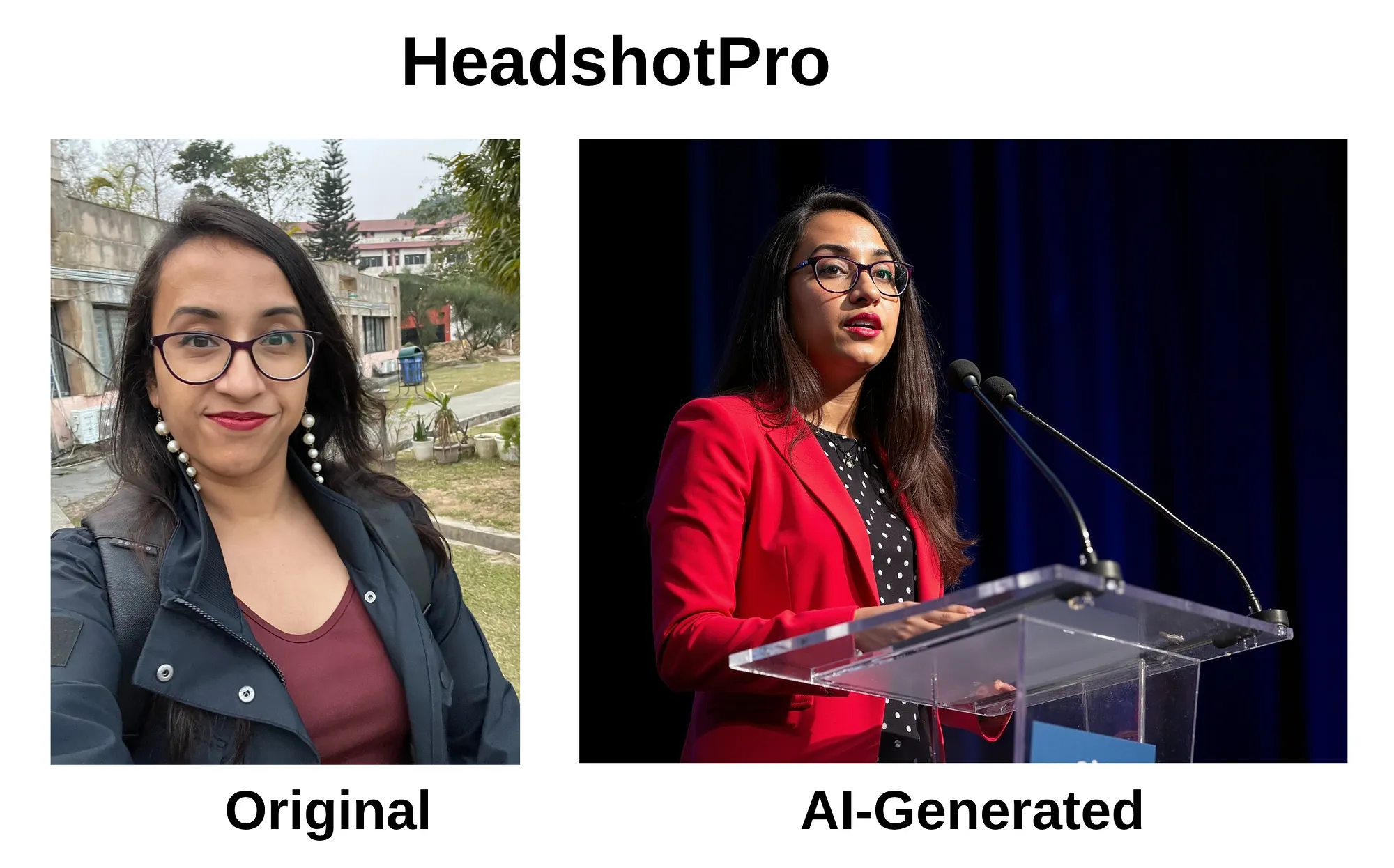
In contrast, tools like Headshot Pro (especially its speaker-style photos) and Aragon AI produced expressions and lighting that felt like they came from an actual studio shoot, not a template.
Why better AI models alone don’t solve this
It’s tempting to assume newer models automatically mean better headshots. They don’t.
What actually matters in 2026 is what happens after generation.
The best tools stand out because they offer:
- Editing or remix features to fix small issues
- Human-in-the-loop corrections for likeness problems
- Redo options without retraining from scratch
That’s why fully automated, one-click generators often disappoint, no matter how advanced the underlying model is.
How the best AI headshot tools avoid the “fake” look
From my testing, the tools that consistently worked well shared a few traits:
They prioritize likeness over volume
Getting 100 headshots doesn’t matter if only 2 look like you. Tools like Aragon AI and AI SuitUp produced fewer throwaway images and more usable ones.
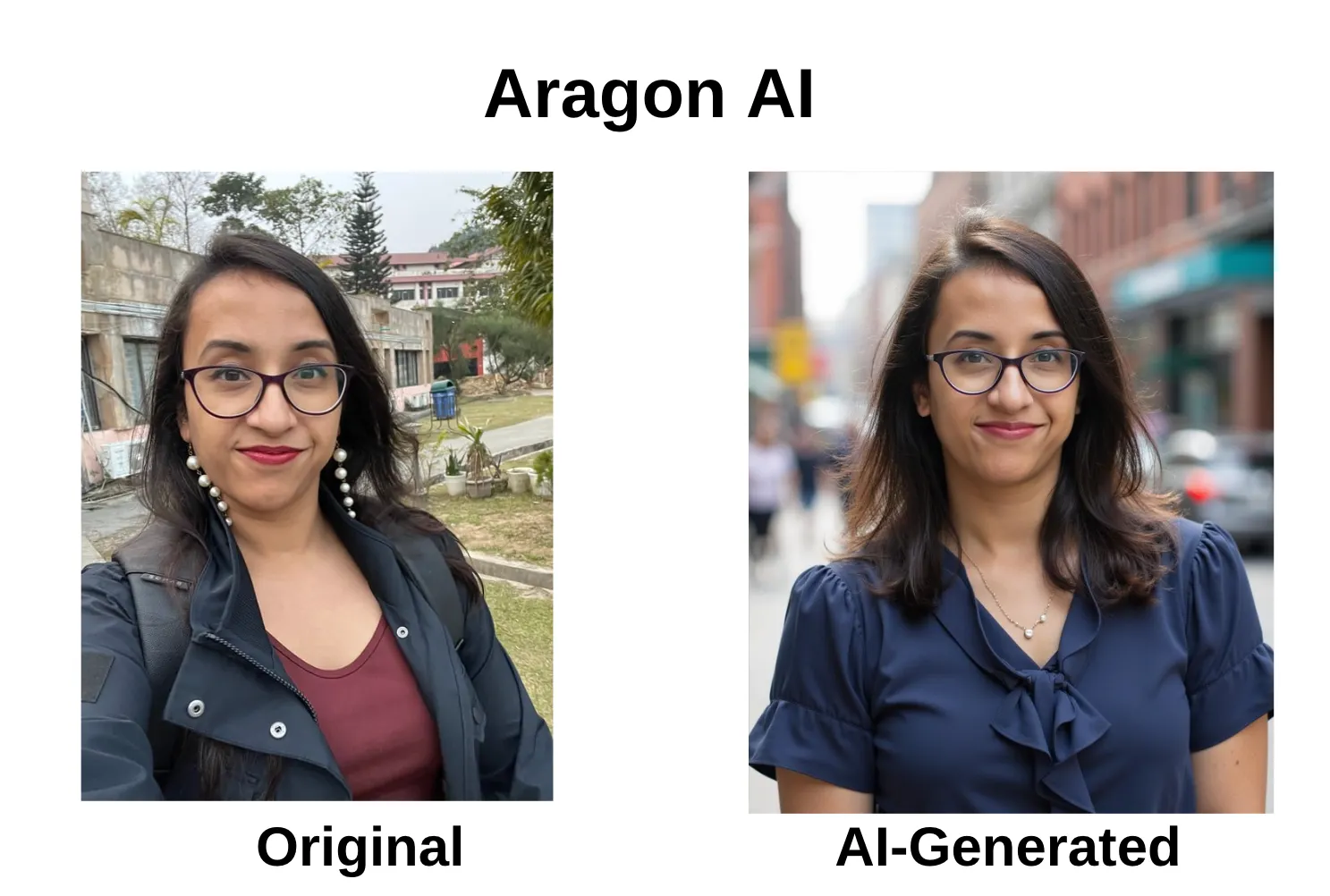
They allow fixes instead of forcing re-generation
Being able to adjust glasses, clothing, or background, without starting over, made tools like BetterPic far more reliable.
They respect real photography rules
Natural lighting, realistic depth, and subtle expressions mattered more than flashy styles.
Why this matters for LinkedIn and professional use
On platforms like LinkedIn, people don’t consciously analyze your headshot, but they feel it.
A headshot that looks fake signals inauthenticity.
That’s why realism, not novelty, is the real benchmark in 2026.
If you want to see which tools actually avoided these pitfalls, I’ve ranked the best AI headshot generators I tested based on realism, face likeness, editing control, and professional usability.
Final takeaway
Most AI headshots look fake because they:
- Over-smooth skin
- Drift away from your real face
- Ignore how real photos behave
The best tools avoid this by combining strong models with editing control and human judgment.
In 2026, the winning formula isn’t “more AI.” It’s AI + restraint.
Affiliate disclosure: Some links in this post may be affiliate links. If you choose to sign up or purchase through them, I may earn a small commission at no extra cost to you. I only recommend tools I’ve personally tested or genuinely find useful.