Best AI Tools for Content Creators (2026 Tested Guide)
Discover the best AI tools for content creators in 2026. I tested dozens of AI apps and share my top picks for writing, video creation, and visual content.


Content creation has changed dramatically over the past few years.
Today, one person can do the work that previously required a writer, designer, video editor, and social media manager.
But only if they have the right tools.
After testing more than 50 AI tools across blogging, YouTube, social media, and SEO, I realized something surprising.
Most AI tools promise to save time. Only a handful AI tools actually boost productivity as a freelancer or content creator.
If I had to build my content creation stack from scratch today, these are the three tools I'd start with.
1. Koala AI – Best for Long-Form Content
Every piece of content starts with an idea.
The hardest part?
Turning that idea into a structured article.
That's where Koala AI fits into my workflow.
Instead of simply generating paragraphs, Koala lets me create an outline first, edit the structure, choose the article type, optimize around keywords, and then generate a complete draft.
Because the planning happens before the writing, I spend much less time reorganizing articles later.
It also supports direct publishing to platforms like WordPress, Shopify, Webflow, and Ghost, making the entire workflow much smoother.
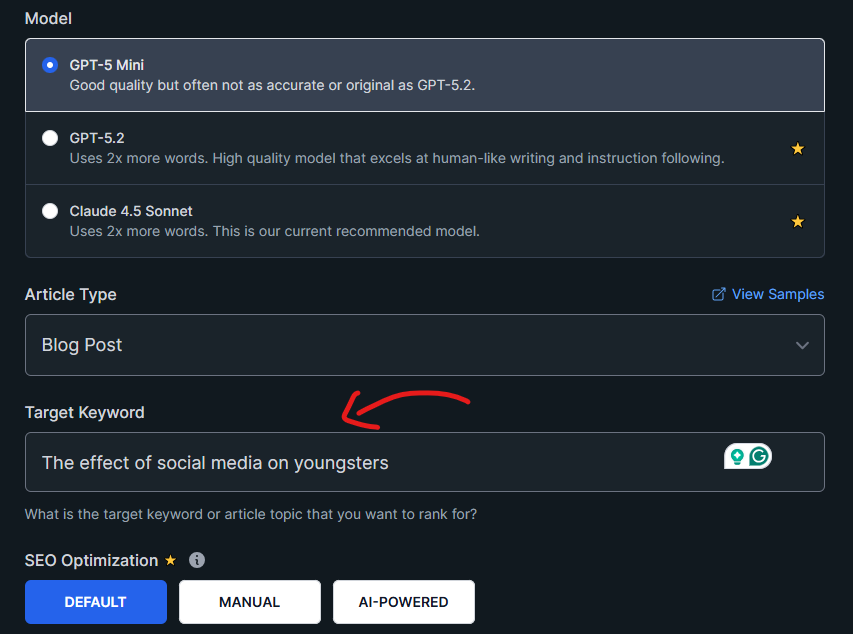
Best for
- Bloggers
- Affiliate marketers
- SEO writers
- Newsletter creators
- Website owners
2. Topview AI – Best for Video Content
Once an article is finished, I rarely stop there.
One blog post can become:
- a YouTube video
- several Shorts
- Instagram Reels
- TikTok videos
- product explainers
That's exactly why I like Topview AI.
Instead of building videos from scratch every time, it helps transform existing ideas into engaging video content much faster.
For creators publishing across multiple platforms, this saves an enormous amount of production time.
Rather than creating new content every day, I repurpose one strong idea into multiple formats.
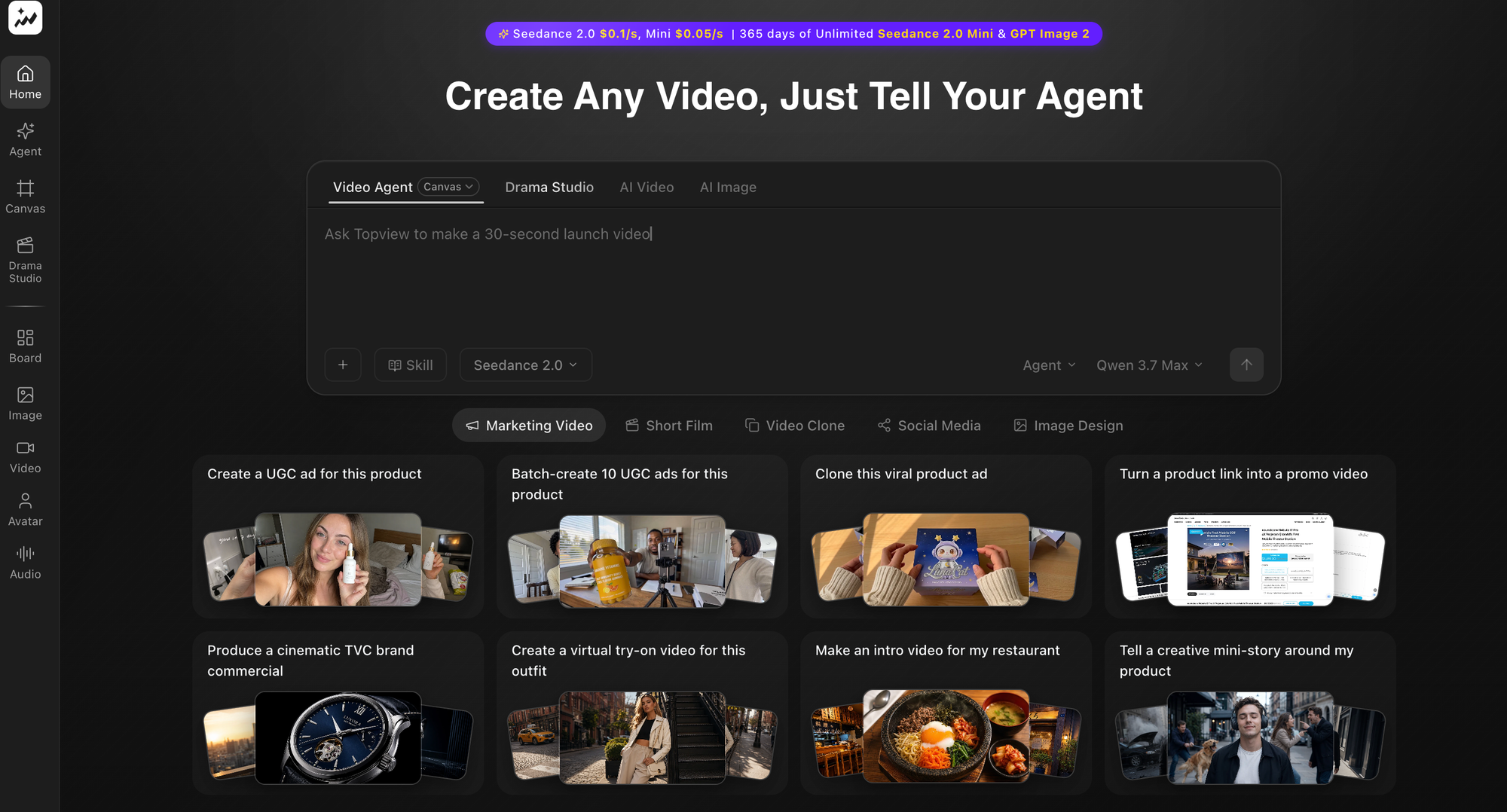
3. Fotor – Best for Images and Thumbnails
Good content still needs good visuals.
Whether it's:
- blog graphics
- YouTube thumbnails
- social media images
- feature images
visual quality affects how people engage with your content.
I use Fotor to improve images before publishing.
It helps enhance screenshots, sharpen thumbnails, clean up graphics, and polish visuals without requiring advanced editing skills.
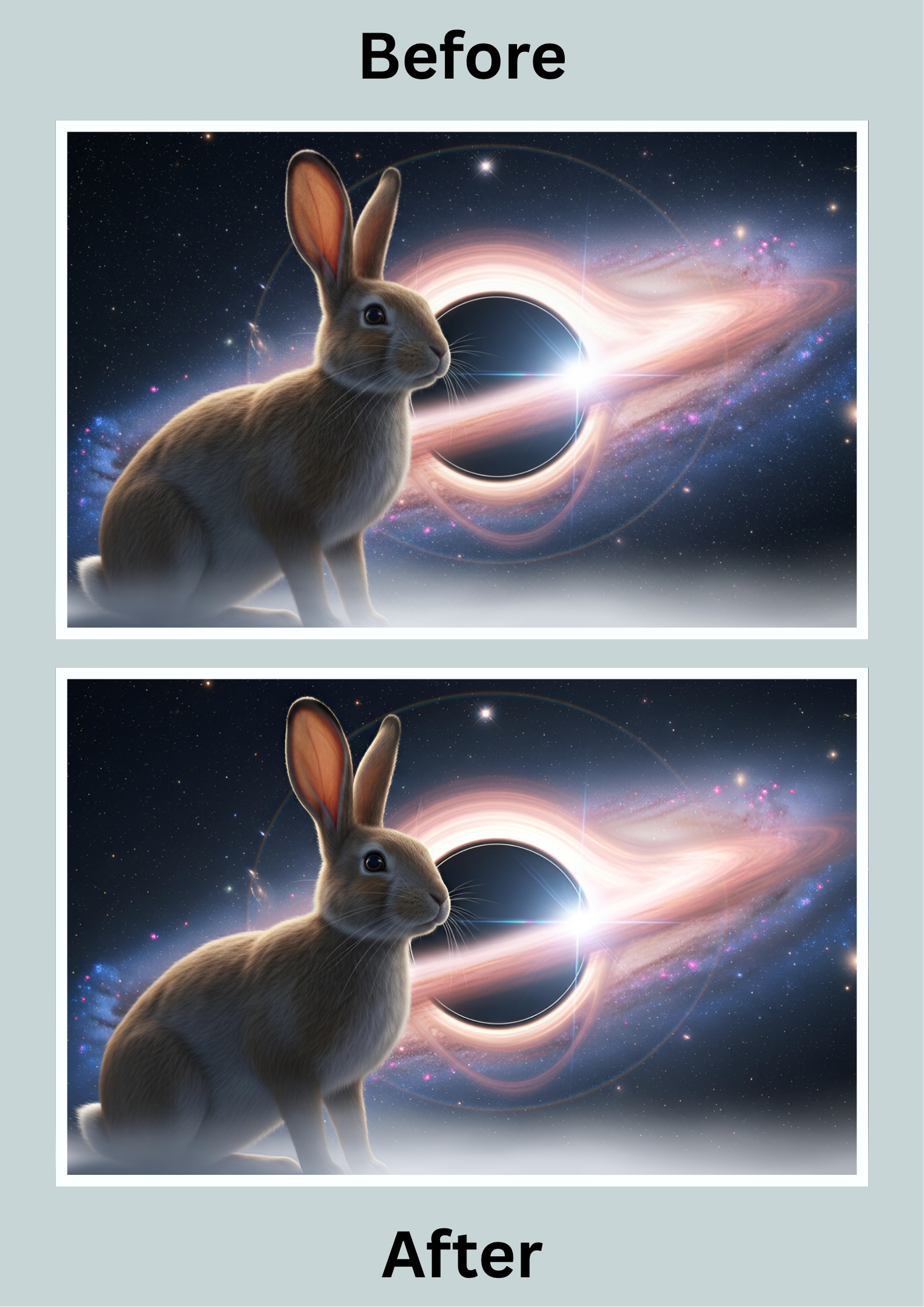
For creators who don't have a design background, it's an easy way to make content look much more professional.
My content creation workflow
Here's the workflow I follow for almost every project.
Step 1: Research the topic.
Step 2: Create the article with Koala AI.
Step 3: Edit and personalize the content.
Step 4: Create visuals using Fotor.
Step 5: Repurpose the article into videos with Topview.
One piece of research becomes multiple pieces of content.
That's how you stay consistent without constantly starting over.
Do you need dozens of AI tools?
Definitely not.
Most creators can produce excellent content with just a few well-chosen tools.
Instead of paying for every new AI app you see online, identify the biggest bottleneck in your workflow.
If writing slows you down, invest in a AI writing tool.
If video editing takes too long, invest in an AI video tool.
If your thumbnails look amateur, improve your visual workflow.
Build your stack gradually.
That's far more sustainable than buying everything at once.
Final thoughts
The best AI tools aren't the ones with the longest feature lists.
They're the ones you actually use every day.
For me, that's exactly what these three tools provide.
Koala AI speeds up writing.
Fotor improves visuals.
Topview turns one article into multiple videos.
Together, they cover nearly every stage of modern content creation and help me spend more time creating—and less time repeating the same tasks.
Affiliate disclosure: This article may contain affiliate links. If you purchase through them, I may earn a small commission at no extra cost to you. I only recommend products or services I genuinely believe may be useful.