Best AI Headshot Generator for LinkedIn (2026 Guide)
Find the best AI headshot generator for LinkedIn in 2026. I tested top tools like BetterPic, Aragon AI, and Fotor to see which actually creates professional, realistic profile photos.


TL;DR (Quick Picks)
- Best overall for LinkedIn: BetterPic (highest realism + control)
- Best LinkedIn-specific results: Aragon AI (84% usable outputs)
- Best budget option: Fotor (fast + affordable)
👉 If you want a safe starting point, go with BetterPic.
Why Your LinkedIn Headshot Matters More Than Ever
Before anyone reads your headline, your experience, or your posts, they see your face.
In 2026, that split-second impression decides:
- Whether a recruiter clicks your profile
- Whether a client trusts you
- Whether someone takes you seriously
The problem is that most people are still using:
- Cropped selfies
- Low-light photos
- Outdated pictures
That’s where AI headshot generators come in. But not all tools are built for LinkedIn.
What Makes a Good LinkedIn Headshot (AI or Not)
After testing 25 tools over 6 weeks, these are the 3 things that actually matter:
1. Clean, professional background
No distractions or fake-looking blur.
2. Natural lighting
Not overexposed, flat, and without the “AI-glow.”
3. Realistic facial expression
You should look like yourself on a good day, not a different person.
The 3 Best AI Headshot Generators for LinkedIn (Tested)
1. BetterPic: Best Overall for LinkedIn
If you want control over how you appear on LinkedIn, this is the strongest tool.
What stood out in testing:
- 60+ headshots across multiple styles
- ~70% were immediately usable
- Strong lighting consistency and realistic skin tone
But the real advantage is that you direct the shoot.
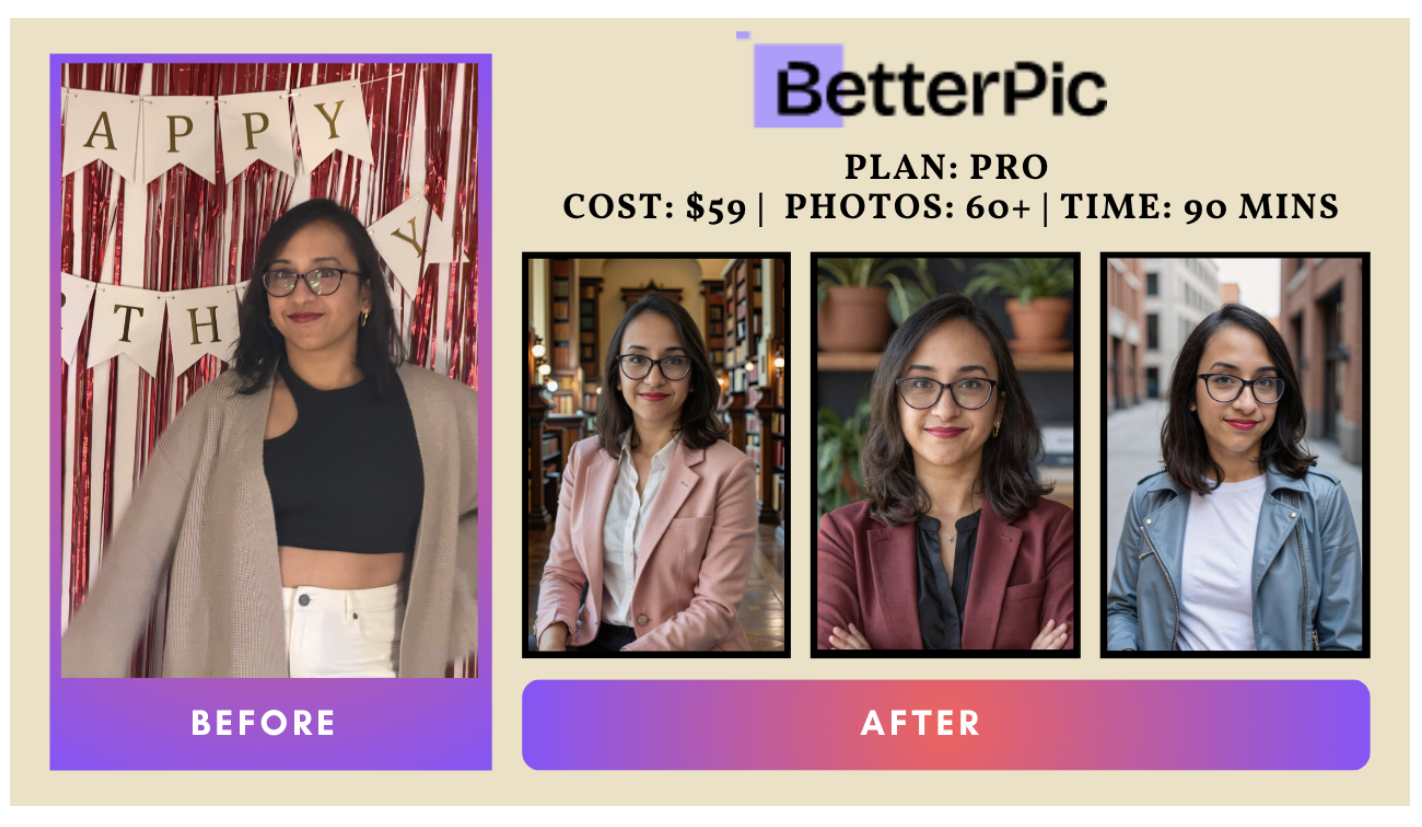
You can choose:
- Industry (legal, corporate, medical)
- Outfit style
- Background environment
That level of control is why BetterPic works so well for professional profiles.
Best for:
Founders, consultants, and professionals who care about brand positioning
2. Aragon AI: Best for LinkedIn-Specific Results
If your only goal is a clean, professional LinkedIn photo, Aragon is incredibly reliable.
From testing:
- 83 headshots generated
- 70 were usable → 84% hit rate
- Natural skin tone and facial accuracy
What makes it stand out:
- Built for professional use cases
- Strong expression control
- Realistic lighting and posture
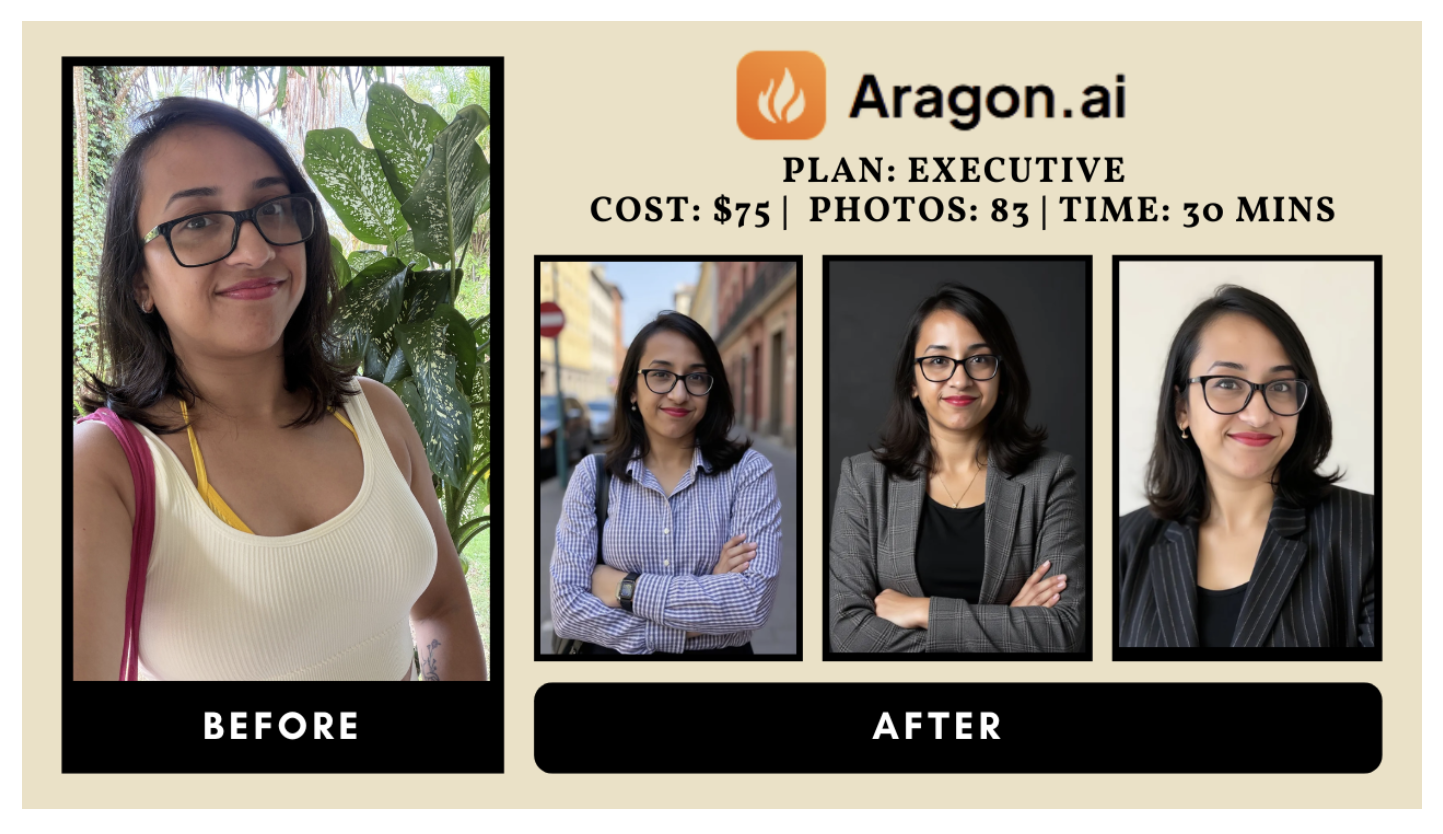
Aragon doesn’t try to be flashy, it just gets LinkedIn right.
Best for:
Job seekers, corporate professionals, and anyone updating their profile fast
3. Fotor: Best Budget Option
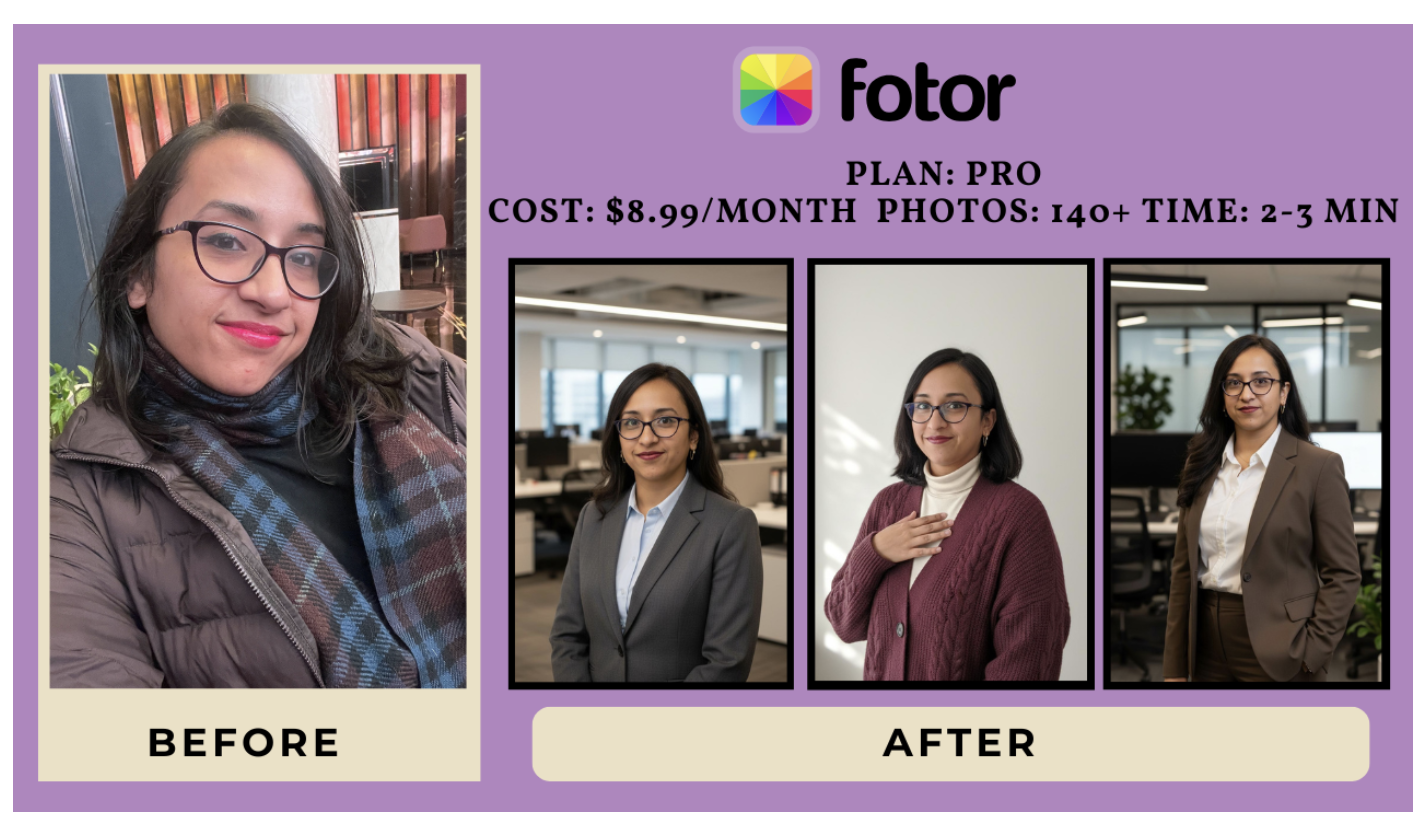
At $8.99/month, expectations were low. The results weren’t.
What you get:
- 40+ headshots in under 3 minutes
- Consistent facial structure across styles
- Surprisingly strong professional outputs
It’s not the most realistic tool on this list, but for the price, it’s more than good enough for LinkedIn.
Best for:
Students, freelancers, or anyone testing AI headshots for the first time
AI Headshots vs Real Photos for LinkedIn
Here’s the honest answer after testing:
👉 AI wins for:
- Speed
- Cost
- Variety
👉 Photographers win for:
- Emotion
- Direction
- High-end branding
For 90% of LinkedIn users, AI headshots are already good enough.
Common Mistakes That Make AI Headshots Look Fake
Even the best tools fail if you:
- Upload low-quality selfies
- Use inconsistent lighting
- Choose unrealistic styles
- Over-edit your face
AI is only as good as your inputs.
So, Which One Should You Choose?
- Want the best possible result → BetterPic
- Want fast, reliable LinkedIn photos → Aragon
- Want a cheap, quick upgrade → Fotor
Final Verdict
AI headshot generators have crossed the line in 2026.
They have incredible face likeness, natural-looking skin, and realistic backgrounds, that make AI headshots instantly usable as your LinkedIn profile picture.
If your LinkedIn photo is outdated, blurry, or holding you back, this is one of the easiest upgrades you can make.
👉 I tested 25 AI headshot generators and broke down all 9 that actually worked here (with real results, screenshots, and detailed pricing comparison).